Choosing a marine navigation app represents a significant decision, the platform becomes your primary tool for safe navigation, trip planning, and on-water confidence. Reading authentic user reviews provides insight beyond marketing claims, revealing how apps perform in real-world conditions.
Wavve Boating has emerged as one of the most downloaded marine navigation apps. But what do actual users say after months of regular use? This comprehensive review analyzes feedback from thousands of boaters across app stores, boating forums, and social media to present an accurate picture of Wavve Boating’s strengths, limitations, and overall value.
Overall User Satisfaction and Ratings
Wavve Boating maintains strong ratings across both iOS App Store and Google Play Store, averaging 4.5-4.7 stars from thousands of reviews.
iOS App Store: 4.6/5 stars (4,400+ reviews)
Google Play Store: 4.5/5 stars (2,800+ reviews)
These ratings have remained consistently strong over the past 24 months, suggesting stable app performance rather than temporary spikes from new feature releases.
Compared to competing marine navigation apps, Wavve Boating’s ratings exceed many established platforms. The app scores particularly well in ease-of-use categories where traditional chartplotter apps sometimes struggle with complex interfaces designed for professional mariners.
What Users Praise: Top Positive Themes
Exceptional User Interface and Ease of Use
The most consistent praise focuses on Wavve Boating’s intuitive, clean interface. Users frequently describe the app as “simple,” “easy to understand,” and “perfect for beginners” while still providing features experienced boaters value.
Representative Quotes:
“As a relatively new boater, Wavve Boating is a must-have. Whether I’m plotting a new destination or exploring new water, Wavve gives me absolute confidence.” — iOS user
“I have been using Wavve for well over 3 years now and it is absolutely incredible. The functionality and interface are rock solid and SIMPLE. You’re not going to be scrolling through various pages, trying to find the information you need.” — iOS user
“The interface is excellently made, very easy to use and easy to understand. No problems so far.” — Android user
This consistent feedback suggests Wavve succeeded in creating an approachable navigation platform that doesn’t overwhelm users with unnecessary complexity.
Draft-Aware Depth Shading: Game-Changing Feature
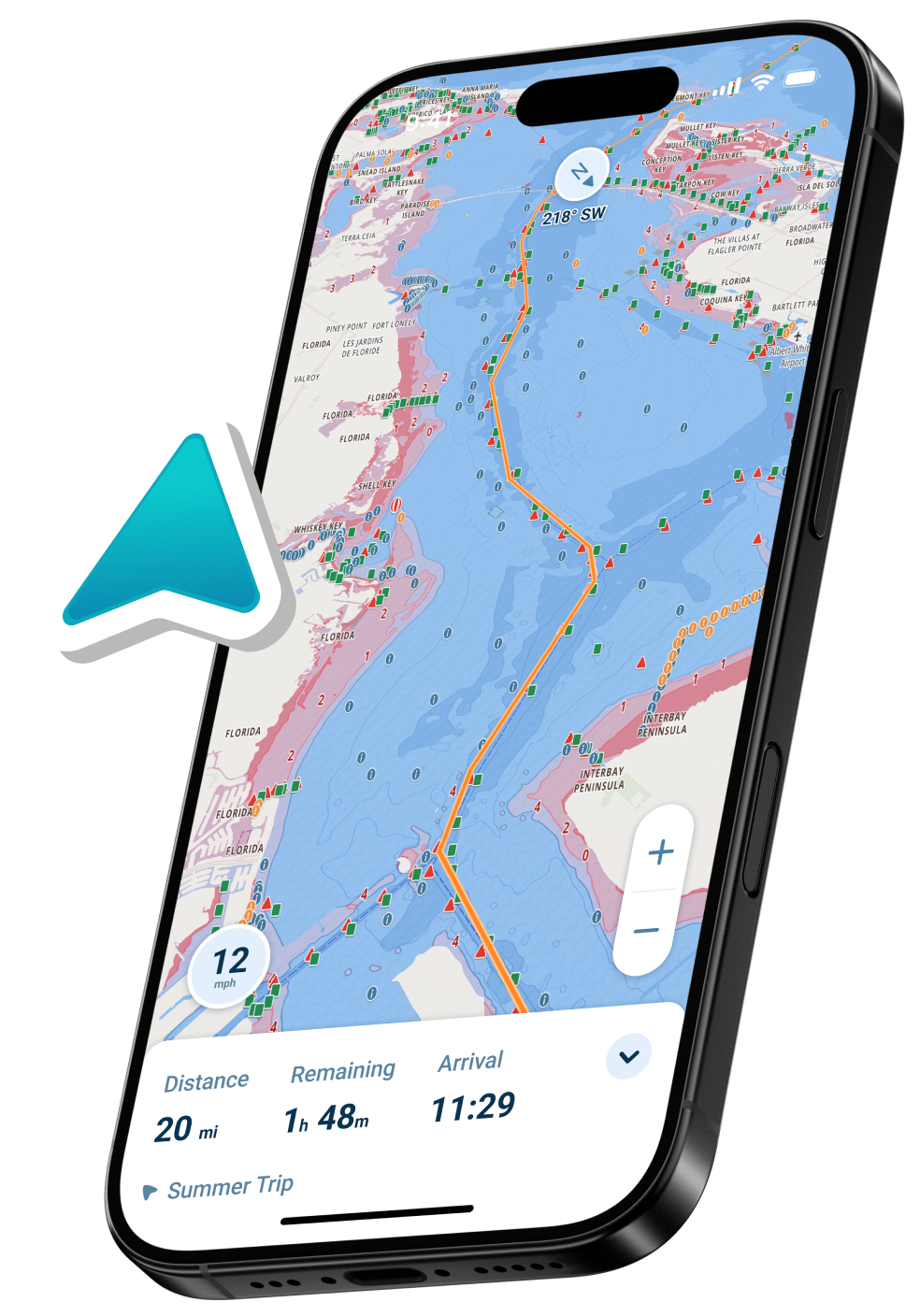
The draft-aware depth shading feature receives extraordinary praise from users who’ve experienced grounding incidents with other navigation tools or appreciate the safety margin this automated system provides.
User Feedback:
“I love that you can enter your boat size into Wavve and it tells you what parts of the water are safe and deep enough to travel in and what parts are not deep enough for your boat, and that it changes based on the tides of that time!” — iOS user
“I’m new at boating. I spent $1000 dollars on a depth finder/fish finder. 90% of the time it’s useless. The Wavve app saved me and made boating less stressful. I feel so much more confident. I can’t believe how accurate it is. I 100% rely on it.” — Android user
This feature particularly resonates with boaters navigating shallow waters where traditional depth sounders provide limited advance warning. The automated visualization eliminates guesswork about whether charted depths provide adequate clearance.
For detailed explanation of how draft-aware navigation works, users reference the comprehensive guide.
Comprehensive Weather Integration
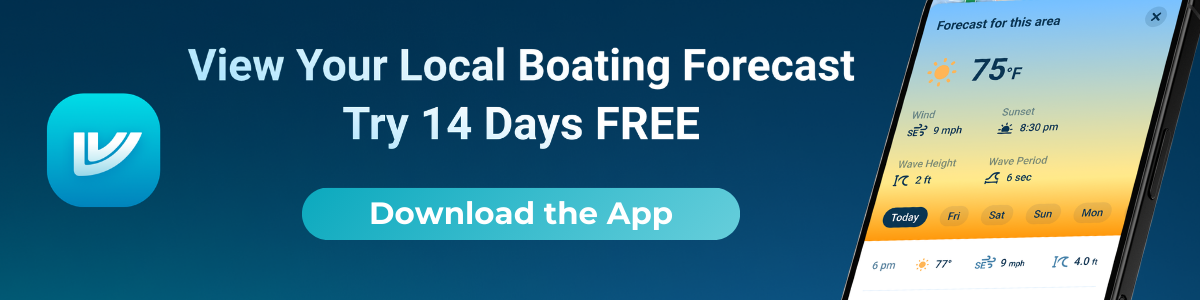
Integrated marine weather forecasts layered directly on charts earn consistent positive mentions. Users appreciate having weather, wind, and wave forecasts accessible without switching apps.
User Comments:
“I love the weather/wind prediction aspect so you’re always aware of the current and potential future conditions.” — iOS user
The ability to view hourly forecasts for specific routes helps users make informed go/no-go decisions. This integration proves particularly valuable for weather-dependent activities like fishing or extended cruising.
Community Features and Point Sharing
Community-driven features allowing boaters to share favorite spots, hazard warnings, and local knowledge receive praise from users who value crowd-sourced intelligence supplementing official charts.
User Perspectives:
“Wavve has every single available dock logged around me whether it’s for all the local popular well-known spots or if it’s the small hidden docks that are not often used, Wavve has them all marked!” — iOS user
“Boating has never been easier. I use the maps here more than anything, but to connect with friends is fun too. I highly recommend joining.” — Android user
The social aspect distinguishes Wavve from traditional navigation apps focused exclusively on technical charting without community interaction.
Value Proposition and Pricing
At $69.99 annually, users consistently describe Wavve Boating as good value compared to purchasing traditional chartplotters or competing navigation apps with similar feature sets at higher prices.
Price-Related Feedback:
“Wavve has tons of different features. And the subscription price is amazing for everything it offers. It can help you find spots to fish, where to anchor, the weather for the day, even the height of the waves in the water.” — Android user
“As a professional captain, I have used a lot of charting apps and software. Wavve is, hands down, the easiest and most intuitive nautical navigation app you can find. 5 out of 5 Stars!” — iOS user
Users appreciate the all-inclusive pricing model, worldwide chart access under one subscription versus regional purchases required by some competitors. For detailed pricing information, users reference the comprehensive FAQ.
Offline Functionality
The ability to download chart regions for offline use receives consistent positive feedback from users boating in areas with limited cell coverage.
Reviews consistently mention successful offline navigation after downloading relevant chart areas. This feature proves essential for remote cruising or reducing data usage during trips.
Regular Updates and Responsive Development
Users note frequent app updates addressing bugs, refining features, and adding requested functionality.
Development Team Feedback:
“This app is great and only getting better. I can’t wait to see what they come out with. Customer support is helpful and extremely friendly.” — iOS user
Developer responses visible in app store reviews demonstrate active engagement with user concerns, including technical troubleshooting and feature clarification.
User Criticisms and Areas for Improvement
AutoRoute Accuracy Concerns
Some users report AutoRoute occasionally suggesting routes that don’t account for all shallow hazards. This represents the most common criticism.
The development team acknowledges this feedback, noting ongoing improvements. Users in complex shallow water sometimes prefer manual route planning.
Depth Data and Performance
Occasional users report depth readings differing from observations, though these often relate to tide station selection. Developer responses clarify depth data sources from NOAA but tides and currents create temporary variations.
Some users mention the app feeling slower than ideal when loading large chart areas. Recent updates have focused on performance optimization, with many noting improvements.
Coverage and Learning Curve
While Wavve provides extensive coverage, some users in remote areas note limited detail. The platform continuously expands coverage with community contributions.
Despite interface simplicity praise, some mention initial confusion about advanced features like GPX import/export or detailed weather customization. Tutorial resources continue evolving.
Comparing Wavve to Competitors: User Perspectives
Versus Navionics/Garmin Boating
Users who’ve switched from Navionics frequently mention Wavve’s cleaner interface and automated draft features as primary advantages. Some users still prefer Navionics for specific features like SonarChart HD community bathymetry.
The detailed comparison between platforms helps users understand feature differences.
Versus C-MAP
Users comparing Wavve to C-MAP note C-MAP’s lower annual cost ($14.99 versus $69.99) but recognize Wavve’s superior feature integration including draft-aware depths, comprehensive weather, and community features justify the price difference.
Versus Traditional Chartplotters
Many reviews come from users who replaced or supplemented fixed chartplotters with Wavve on tablets or phones. Common themes include appreciating the portability, regular automatic updates, and lower total cost.
Understanding chartplotter alternatives helps users evaluate whether app-based navigation meets their needs.
User Profiles: Who Benefits Most
New Boaters
Overwhelmingly positive feedback from beginning boaters who appreciate the intuitive interface and safety features reducing anxiety about navigation in unfamiliar waters.
New Boater Feedback:
“Wavve Boating app is an absolute game-changer for new boaters like me. It has quickly become my go-to tool for navigating, especially in areas I’m unfamiliar with or during nighttime excursions.” — iOS user
Weekend Recreational Boaters
Casual users who boat occasionally find Wavve provides professional navigation capability without requiring extensive training or complex setup procedures.
Kayak and Small Boat Operators
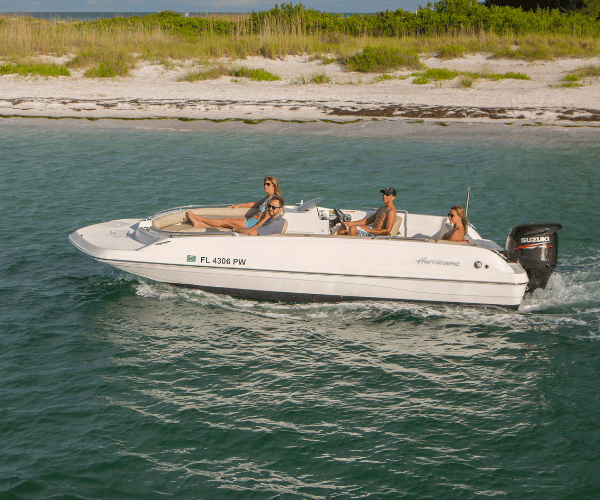
Users operating kayaks, small fishing boats, and PWCs particularly value the draft-aware features and mobile platform approach requiring no permanent installation. The Sea-Doo integration earns specific praise from PWC riders.
Shallow Water Navigators
Boaters frequently operating in challenging shallow environments, backcountry, flats, coastal estuaries, consistently rate draft-aware navigation as Wavve’s most valuable feature. The shallow water navigation capabilities address their primary safety concern.
Fishing Enthusiasts
Anglers appreciate community spot sharing, weather integration for planning trips, and offline capability for remote fishing locations. The app supports finding and safely reaching fishing spots in complex coastal environments.
Professional Captains
Even professional mariners note Wavve’s value as supplemental navigation or primary tool for smaller vessel operations where traditional chartplotter installations aren’t practical.
Feature-Specific User Feedback
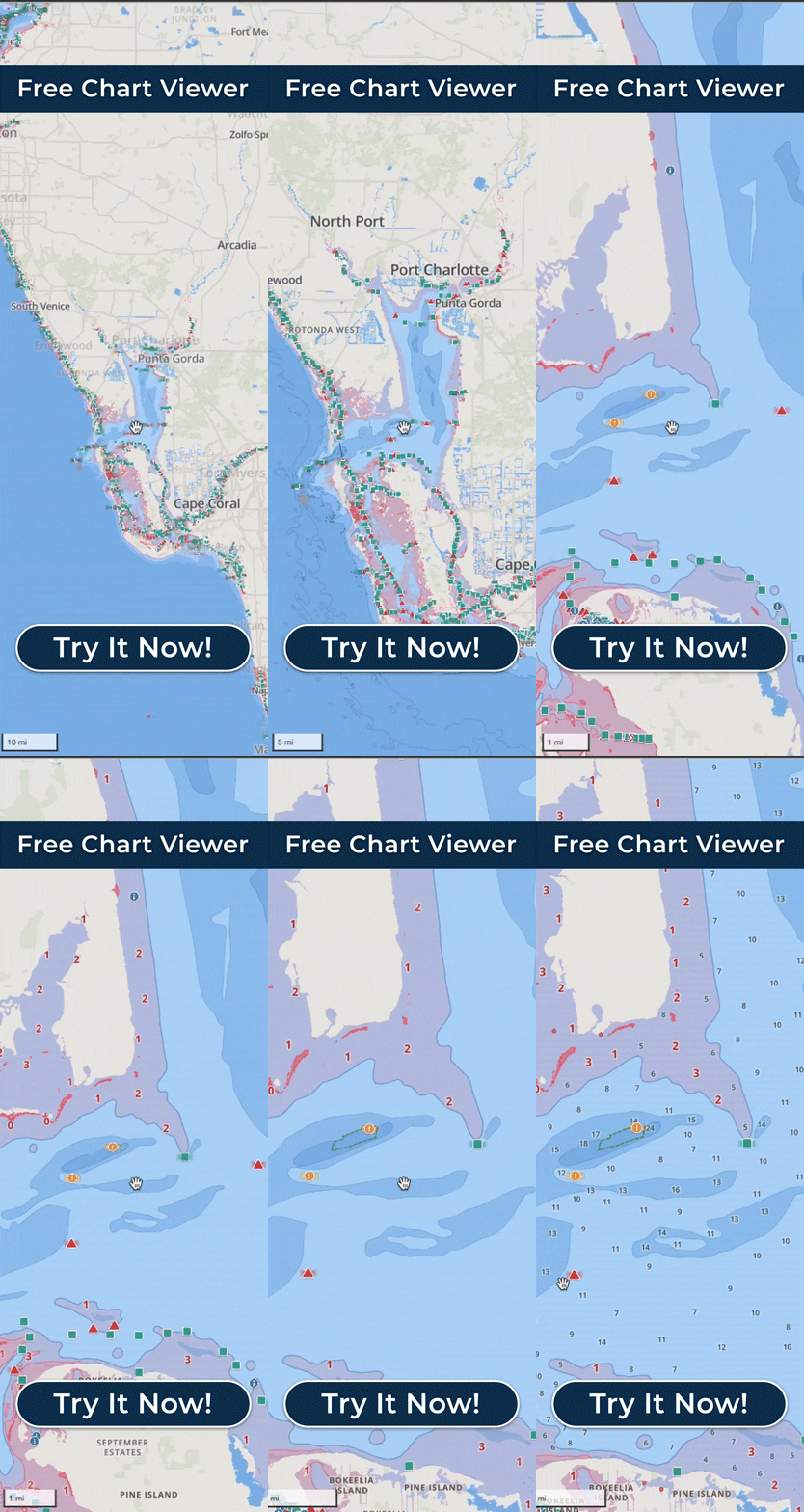
Chart Quality and Coverage: Users consistently praise official NOAA chart quality and worldwide coverage under single subscription. The free chart viewer allows potential users to preview coverage before subscribing.
Route Planning and Autorouting: Mixed feedback, many appreciate automated route suggestions while others prefer manual planning in complex shallow water.
Tide Integration: Real-time tide adjustment to depth displays receives consistent praise as differentiator from apps showing only static chart depths.
Community and Social Features: Positive feedback on community spot sharing and friend tracking, though some users prefer privacy options for keeping personal waypoints private.
Customer Support: Multiple reviews specifically praise responsive customer support team helping with technical issues and billing questions.
Platform Performance: iOS Versus Android
Both iOS and Android versions maintain similar feature sets and performance levels.
iOS: Generally slightly higher ratings (4.6 vs 4.5) with users noting smooth performance on recent iPhone and iPad models.
Android: Strong performance across diverse Android devices. Some older or budget Android phones show occasional performance issues with large chart rendering.
Both platforms receive regular simultaneous updates maintaining feature parity.
Verdict: Is Wavve Boating Worth It?
Based on comprehensive user review analysis, Wavve Boating delivers strong value for recreational boaters, particularly those prioritizing:
Primary Strengths:
- Exceptionally user-friendly interface suitable for all skill levels
- Innovative draft-aware depth shading providing safety margins
- Comprehensive weather integration eliminating separate apps
- Strong community features enhancing local knowledge
- Excellent value at $69.99/year for included features
- Responsive development team actively improving app
- Reliable offline functionality for remote areas
Considerations:
- AutoRoute needs refinement in complex shallow areas
- Occasional depth reading questions (mostly tide station selection issues)
- Some advanced features require learning
- Coverage depth varies by region (continually improving)
Bottom Line:
For most recreational boaters, including weekend cruisers, anglers, kayakers, small boat operators, and those operating in shallow or challenging waters, Wavve Boating offers a well-rounded navigation solution that combines strong functionality, ease of use, and a cost that remains competitive for its feature set.
Who Wavve Boating Is Best For
Wavve Boating is best suited for recreational boaters who prioritize simplicity, safety, and ease of use over highly technical navigation workflows. It is especially useful for weekend cruisers, anglers, kayakers, and small boat operators who want clear charts, draft-aware depth guidance, and reliable offline access without a steep learning curve. Boaters navigating shallow or unfamiliar waters also benefit from its real-time depth visualization and weather integration. However, those who rely on highly advanced offshore routing tools, complex custom chart integrations, or professional-grade navigation systems may prefer more specialized platforms designed for deep technical control.
Trying Wavve Boating Risk-Free
Wavve Boating offers a 14-day free trial with no credit card required, allowing potential users to evaluate all features before committing to annual subscription.
Start your free trial through the Wavve Boating homepage or by downloading directly from iOS App Store or Google Play Store. The trial includes full feature access, allowing complete evaluation before purchase decision.
Frequently Asked Questions
What is the overall user rating for Wavve Boating?
Wavve Boating averages 4.5-4.7 stars across iOS and Android platforms based on thousands of user reviews. This rating has remained consistently strong over multiple years.
What do users say is Wavve Boating’s best feature?
The draft-aware depth shading receives the most enthusiastic praise. This feature automatically color-codes charts showing safe (blue) versus shallow (red) water based on your boat’s draft plus current tide levels.
Are there negative reviews of Wavve Boating?
Yes, like any app, Wavve receives some critical reviews. Primary complaints focus on AutoRoute accuracy in complex shallow areas, occasional depth data questions, and performance speed on older devices. These represent minority concerns.
How does Wavve Boating compare to Navionics according to users?
Users who’ve switched from Navionics typically cite Wavve’s cleaner interface, draft-aware features, and better value as advantages. Some users still prefer Navionics for specific features like SonarChart HD.
Is Wavve Boating good for beginners?
Overwhelmingly yes. New boaters consistently praise the intuitive interface and safety features that reduce navigation anxiety in unfamiliar waters.
Do professional boaters use Wavve Boating?
Yes. Several reviews come from professional captains who use Wavve as primary navigation for smaller vessels or supplemental tool alongside fixed chartplotters.
How responsive is Wavve Boating’s customer support?
User reviews consistently praise customer support responsiveness. The team actively responds to app store reviews, addresses technical issues promptly, and incorporates user feedback into development priorities.
Content
- Overall User Satisfaction and Ratings
- What Users Praise: Top Positive Themes
- User Criticisms and Areas for Improvement
- Comparing Wavve to Competitors: User Perspectives
- User Profiles: Who Benefits Most
- Feature-Specific User Feedback
- Platform Performance: iOS Versus Android
- Verdict: Is Wavve Boating Worth It?
- Who Wavve Boating Is Best For
- Trying Wavve Boating Risk-Free
- Frequently Asked Questions
- What is the overall user rating for Wavve Boating?
- What do users say is Wavve Boating’s best feature?
- Are there negative reviews of Wavve Boating?
- How does Wavve Boating compare to Navionics according to users?
- Is Wavve Boating good for beginners?
- Do professional boaters use Wavve Boating?
- How responsive is Wavve Boating’s customer support?