Yes. Wavve Boating lets you access map areas you download before departure, even when your device has no cellular connection. A compatible device can also use GPS to show your location without cellular data. However, offline access does not mean every Wavve feature works without an internet connection. Features that rely on current online information may be limited or unavailable while you are offline.
If you are heading to a remote lake, travelling through an area with patchy reception or simply want to avoid relying on a cellular connection, download the map areas you need before leaving. Here is what to know about using Wavve without cell service.
How Wavve’s Offline Maps Work
Download Your Map Area Before Departure
Wavve’s Offline Maps feature lets you download a supported map area in advance. Once downloaded, the chart information for that area remains available on your device when an internet or cellular connection is unavailable.
Before your trip, open Wavve while you have a reliable internet connection and download the map area covering the waterways you plan to visit. Consider including nearby areas you may reasonably travel through. Make sure the download has completed and that the intended area is available on your device before you leave connectivity behind.
Use GPS Without Cellular Data
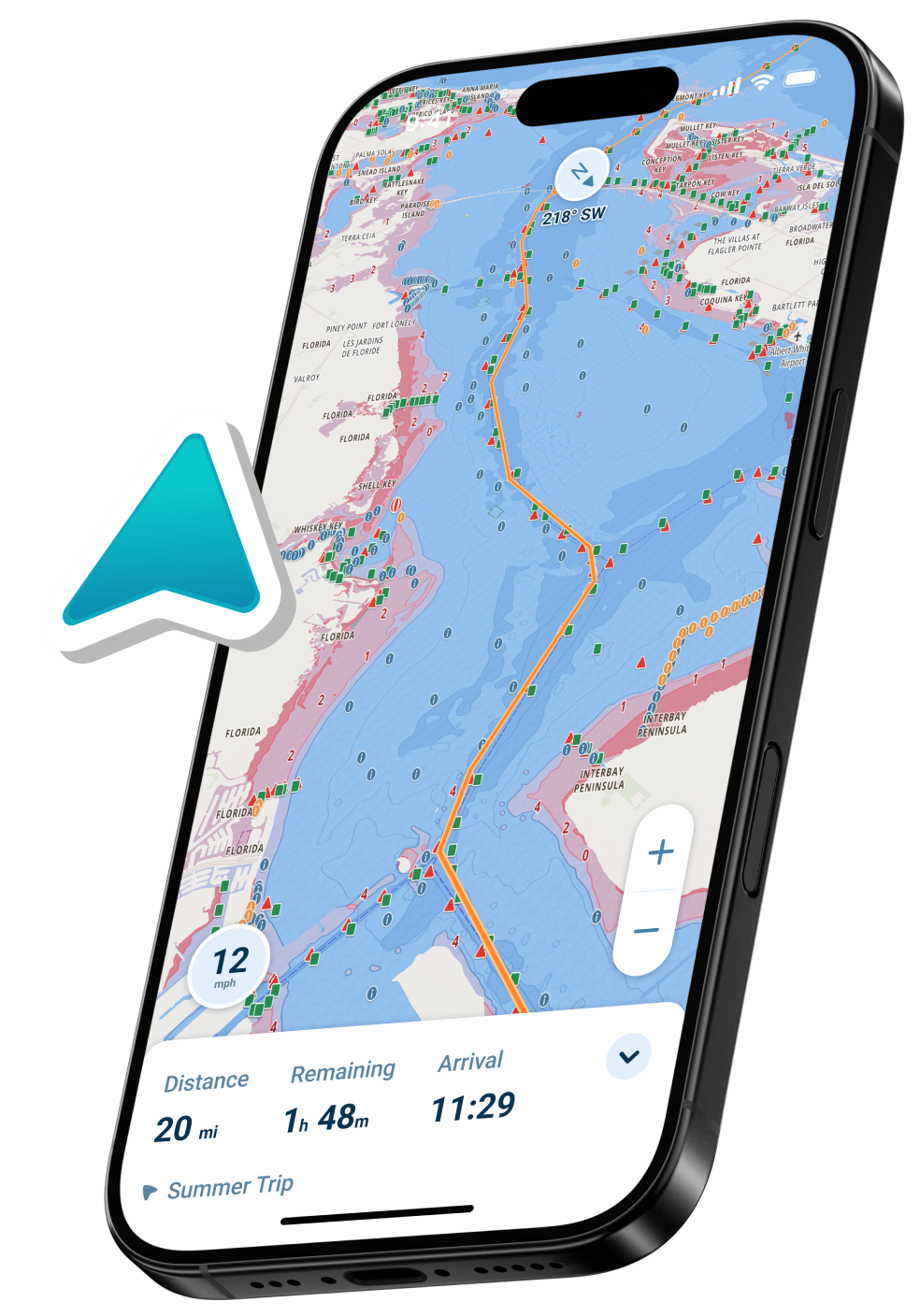
Cellular service and GPS positioning are different things. A compatible GPS-enabled phone or tablet can determine its location using satellite signals without connecting to a cellular network. When the relevant map area has already been downloaded, Wavve can display your location on that map without cellular data.
GPS availability depends on your device and its ability to receive satellite signals. Downloading a map does not provide GPS to a device that does not have GPS capability, and it does not guarantee that every online feature will remain available.
What Works Offline—and What May Not
The key offline capability confirmed for Wavve is access to map areas that you downloaded in advance, together with GPS positioning on a compatible device. This supports viewing your downloaded chart information and seeing your location without cellular data.
Wavve also includes features that use information delivered online. Current weather, water-level or tide information, and community information may be limited or unavailable without an internet connection. You should not assume that the app will refresh this information while offline.
Offline availability can also depend on whether the required map area was downloaded beforehand. If you travel beyond the area stored on your device, you may not be able to download additional map information until you reconnect.
Draft-Based Depth Shading and Dynamic Depths
Wavve lets you enter your vessel’s draft to customize chart highlighting. Red shading identifies charted areas that may be too shallow relative to the draft you entered. This visualization is based on available chart information and is intended to help you recognize areas that deserve closer attention.
Dynamic Depths adds another layer by using available water-level or tide information from nearby monitoring stations to adjust displayed chart depths where supported. Because this adjustment relies on water-level or tide data, the latest information may not be available when your device is offline. Do not assume that Dynamic Depths will continue updating without an internet connection.
Neither draft-based highlighting nor Dynamic Depths measures the exact water beneath your boat or guarantees that a route is safe. Use chart information as one part of your planning, and continue to account for local conditions and your vessel’s limitations.
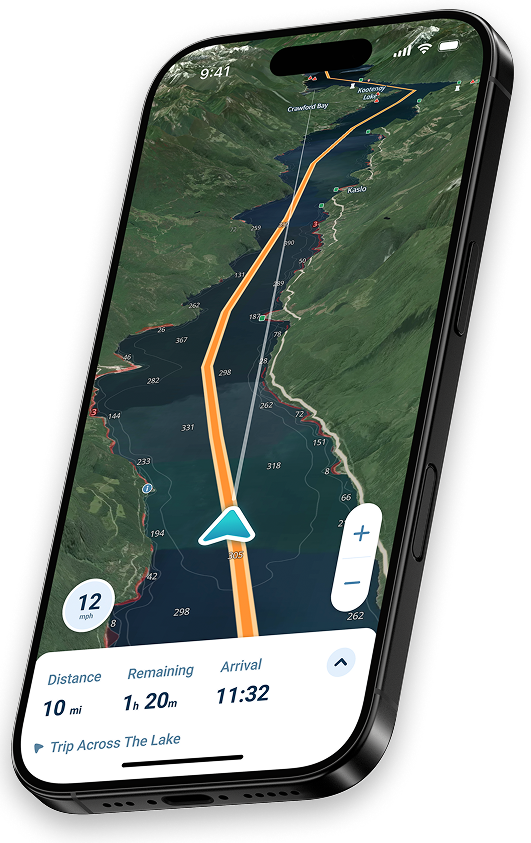
How to Prepare Wavve for a Trip Without Cell Service
1. Download the Area You Plan to Visit
While connected to Wi-Fi or cellular data, open Wavve and download the map area you need. Include a reasonable margin around your planned boating area in case your route changes.
2. Check Your Download Before Leaving
Before departure, return to the map and confirm that the area you intend to visit has been downloaded and is available. It is better to check while you still have a connection than to discover that you need another download after entering an area without service.
3. Confirm Your Device Can Provide GPS
Check that the phone or tablet you plan to use has GPS capability. Remember that GPS positioning does not require cellular data, but it does rely on the device receiving satellite signals.
4. Plan for Features That Need a Connection
Check weather forecasts and any water-level, tide or community information you may need before you lose connectivity. Those online sources may not update while you are offline. If conditions change, use appropriate local information and other available resources rather than relying on information that may be out of date.
Practical Tips for Offline Boating
Download Before You Lose Reception
Do not wait until you reach a remote area to download your maps. Download the relevant area in advance and confirm it is available on your device.
Keep Your Device Charged
Using a phone or tablet for navigation means managing its battery throughout the trip. Start with a charged device and bring a suitable charging option or power bank for longer outings. Battery consumption varies by device, screen use and other settings.
Keep Other Navigation Resources Available
A downloaded map on a phone is useful, but it should not be treated as your only preparation for every trip. Carry the navigation resources and safety equipment appropriate for your vessel, route and conditions, and follow sound navigation practices.
Does Wavve Work in Remote Areas?
Wavve can display map areas that you downloaded before entering a remote area, and a compatible GPS-enabled device can continue to show your location without cellular data. This can be useful on remote lakes and waterways where mobile coverage is limited.
The important distinction is that offline map access is not the same as full app functionality. Information that depends on an internet connection may not update, and map areas that were not downloaded in advance may not be available. Plan around those limitations before departure.

Frequently Asked Questions
Does Wavve Boating work without cell service?
Yes. Downloaded map areas remain available offline, and a compatible GPS-enabled device can show your location without cellular data. Features that depend on an internet connection or current online information may be limited or unavailable.
Do I need to download maps before leaving?
Yes. Download the map areas you need before entering an area without connectivity. You may not be able to download additional map areas once you are offline.
Does GPS work without cellular service?
Yes. GPS positioning uses satellite signals rather than cellular data. Your device must have GPS capability and be able to receive satellite signals.
Will all Wavve features work offline?
No. Downloaded map information remains available, but features that rely on current online information—such as some weather, water-level, tide or community information—may be limited or unavailable without an internet connection.
Will draft-based depth visualization work offline?
Wavve’s vessel-draft visualization uses chart information to highlight areas that may be too shallow for the draft you entered. Dynamic Depths also uses available water-level or tide information from nearby stations. The latest station information may not be available while offline, so do not assume those adjustments will continue updating without a connection.
Can I use Wavve as my only navigation system when boating offshore?
Wavve’s downloaded maps and GPS positioning can be useful when cellular service is unavailable, but offline access does not make the app a substitute for all navigation equipment or preparation. Choose navigation resources appropriate for your vessel, route and operating conditions.
Prepare Before You Head Out
Wavve’s Offline Maps feature helps you keep downloaded chart information available when cellular service is out of reach. Download the map areas you need before departure, confirm that your device can provide GPS positioning, and plan ahead for online features that may not update while you are offline.
For more information about using Wavve, visit the Wavve Help / Frequently Asked Questions page.