How does Wavve Boating work?
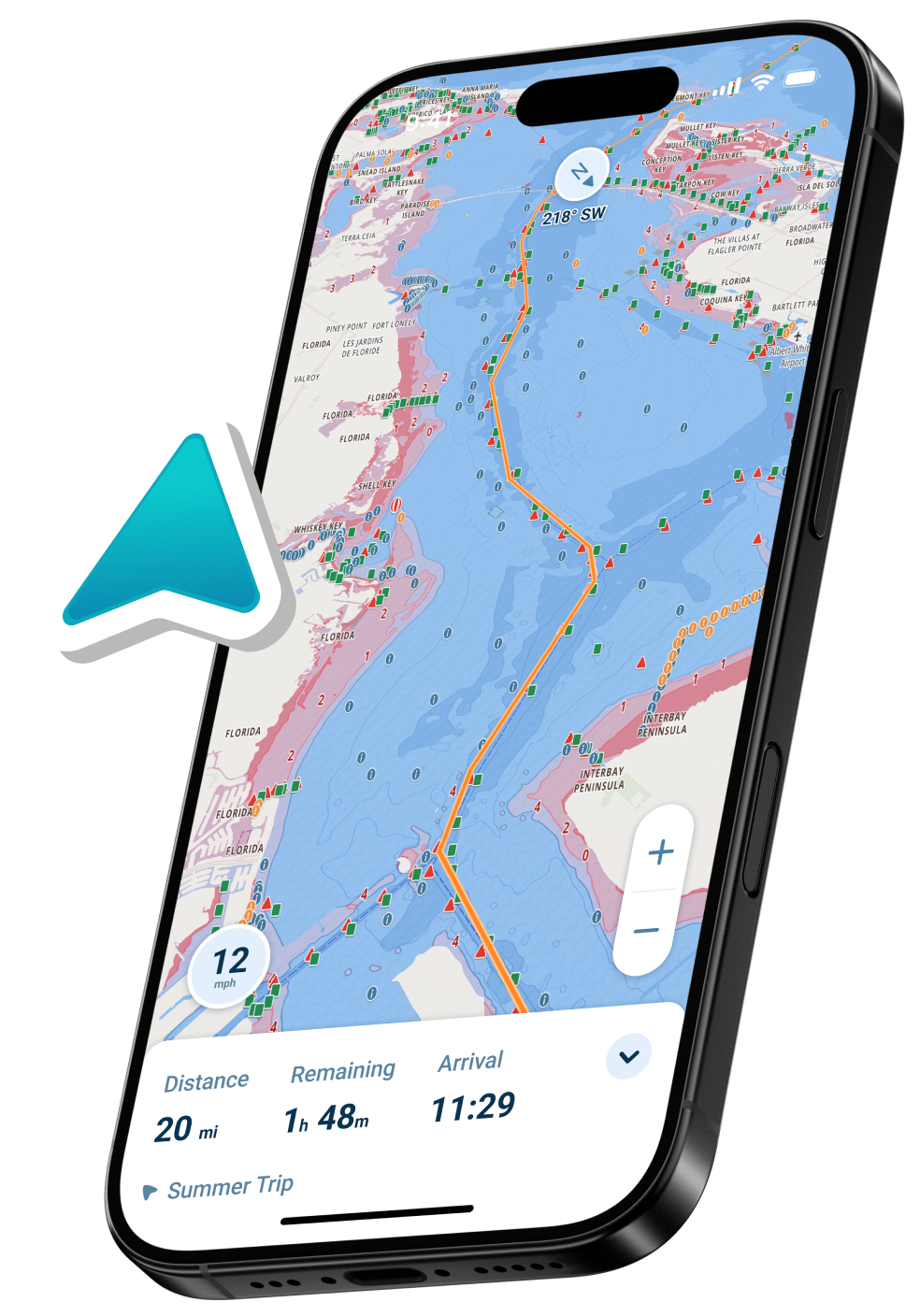
Wavve Boating is a mobile marine navigation app that turns your phone or tablet into a depth-aware, tide-aware chartplotter. It starts with more than 17,000 official nautical charts from national hydrographic offices and other government agencies, then layers on real-time tide and water-level data from thousands of monitoring stations. You tell the app your boat’s draft, and Wavve automatically adjusts the chart’s depth shading to highlight safe areas and warn you about shallow water. The app uses your device’s GPS to show your live position on the map, supports automatic route planning, and provides marine weather and wave forecasts where available. Community-contributed pins and hazard reports add a real-world layer of local knowledge on top of official chart data. Together, these features make Wavve a single, integrated tool for planning and navigating trips on the water.
What makes Wavve Boating different from other navigation apps?
Wavve Boating is built specifically for recreational boaters who want clarity and confidence, not complicated professional charting systems. Unlike many traditional apps that mirror dense paper charts, Wavve uses simplified, color-coded visuals and depth shading that adapts to your vessel’s draft, so you can see safe versus shallow water at a glance. It combines official hydrographic charts with real-time tide, water-level, and wave data to keep your map aligned with current conditions, instead of relying solely on static chart depths. Wavve also leans heavily on community input, allowing boaters to share hazards, favorite anchorages, and local tips, which helps fill in gaps in official data. The app includes fuel-efficient auto-routing and trip-planning tools designed for everyday use rather than commercial operations. Overall, Wavve focuses on making navigation feel as intuitive as using a modern maps app, but purpose-built for the water.
How accurate are Wavve Boating’s charts?
Wavve Boating’s charts are built on official data from recognized hydrographic offices and government agencies, which makes them as accurate as the underlying national charting sources. For U.S. waters, Wavve uses charts and water-level information derived from the National Oceanic and Atmospheric Administration (NOAA) and related agencies. In Canada, Wavve uses Canadian Hydrographic Service (CHS) charts and tide/current information, and in other regions it incorporates data from organizations such as the Australian Hydrographic Office (AHO) and UK Hydrographic Office (UKHO). These charts are automatically updated in the app whenever new official data becomes available, so high-traffic regions are refreshed frequently. Accuracy still depends on survey age, local seabed change, and how often a given area is resurveyed by the authorities. As with any marine chart, Wavve should be used alongside prudent seamanship and situational awareness, especially in dynamic or shallow environments.
Why is Wavve Boating good for beginners?
Wavve Boating is designed so new boaters can understand their surroundings quickly, without needing a background in traditional chart symbols. Instead of presenting dense, paper-style charts, the app uses clear color-coded depth shading to show where it is likely safe to travel based on your boat’s draft. The interface is laid out like a modern mobile map, with intuitive panning, zooming, and simple controls for routes, waypoints, and favorites. Built-in features such as auto-routing, visual tide overlays, and easy-to-read hazard icons remove much of the guesswork from basic trip planning. Community pins and shared spots also help new boaters discover anchorages, ramps, and routes that others already use. Taken together, these choices make Wavve a more approachable starting point than many traditional marine chartplotters or legacy apps.
Is Wavve Boating better than Navionics?
“Better” depends on the boater and how they plan to use the app, but Wavve Boating is often preferred by recreational users who want simplicity and depth-aware visuals tailored to their boat. Navionics is a powerful, feature-rich system that closely mirrors professional electronic charts, which can be ideal for highly experienced navigators but intimidating for newer boaters. Wavve focuses on making charts easier to interpret by automatically adjusting depth shading to your vessel’s draft and integrating real-time tides and water levels so the displayed depths more closely reflect current conditions. Its community pins and social features are built from the ground up for casual and family boaters who share spots and local tips. If you value dense technical chart controls and advanced overlays, Navionics may feel more familiar; if you want clear visuals, quick planning, and a mobile-first experience, Wavve is often the more user-friendly choice.
Is Wavve Boating good for jet skis?
Yes, Wavve Boating is very well suited to jet skis and other personal watercraft. The app’s mobile-first design works naturally with the way PWC riders use their phones and it also integrates with select BRP Sea-Doo displays, allowing riders to see Wavve’s charts directly on their dash when connected. Depth shading and hazard pins help riders avoid shallow bars, rocks, and submerged objects in areas that can change quickly, which is especially important at higher PWC speeds. The app’s route-planning and trip-recording features make it easy to map out coastal runs, island hops, or lake loops before you ride. Community pins also help jet ski riders discover popular sandbars, beaches, and meetup spots shared by other users. Together, these features make Wavve an effective navigation and discovery tool for personal watercraft.
Is Wavve Boating accurate?
Wavve Boating is designed to be as accurate as possible by combining several trusted data sources and live inputs. Its base charts come from official hydrographic offices, which means they reflect the same surveyed depths and coastlines used in national charting systems. Real-time water-level and tide information from thousands of monitoring stations is used to dynamically adjust the effective depths shown on your chart, improving relevance compared to static soundings alone. Weather and wave data add another layer of situational awareness for planning and underway adjustments. Community hazard and point-of-interest reports provide hyper-local, real-world information that may not yet be reflected in official data, especially in rapidly changing areas. While no chart or app can eliminate all risk, Wavve’s multi-source approach aims to give boaters a more current, context-rich picture of conditions than static charts alone.
Is Wavve Boating easy for beginners to use?
Yes, ease of use is one of Wavve Boating’s core design priorities. The interface is built around familiar mobile navigation patterns, so if you are comfortable using a smartphone maps app, you can quickly understand Wavve. Menu structures are kept simple, with clear options for viewing charts, planning routes, checking tides, and seeing weather. Depth shading, hazard markers, and community pins use intuitive colors and icons instead of relying solely on traditional chart symbology. The app guides you through key setup steps such as entering your boat’s draft so the map can automatically highlight safe water. Over time, users can explore more advanced tools such as fuel-efficient routing and route exporting, but the basics remain accessible from the start. This combination makes Wavve friendly to both brand-new and experienced boaters.
What devices does Wavve Boating work on?
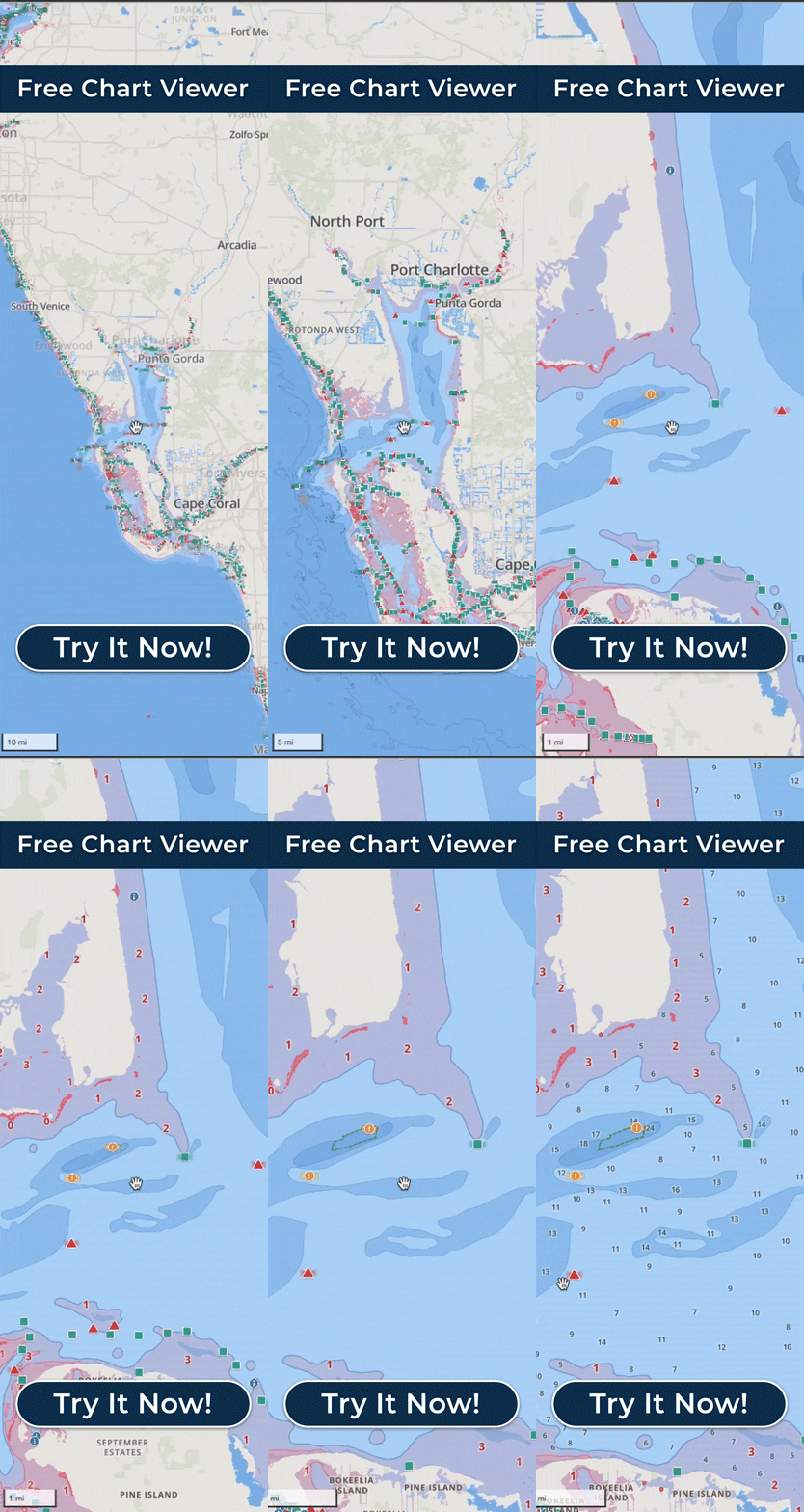
Wavve Boating is designed primarily for iOS and Android smartphones and tablets, taking advantage of their built-in GPS and connectivity. This includes common platforms like iPhone, iPad, and a wide range of modern Android phones and tablets from major manufacturers. The app also integrates with select BRP Sea-Doo models, allowing riders to mirror or interact with Wavve’s navigation experience through compatible watercraft displays. For pre-trip planning, Wavve offers an online chart viewer that can be accessed through a web browser on desktop or laptop computers. Routes and waypoints created on mobile can often be exported via GPX if users wish to transfer them to other devices or systems. Always check current app store listings or Wavve’s official materials for the latest device support details.
Does Wavve Boating work offline?
Yes, Wavve Boating can be used offline if you download charts and related data in advance. When you save an area for offline use, the base charts, depth contours, and depth shading are stored on your device so you can still see where you are in relation to the coastline, channels, and hazards. Your device’s GPS chip continues to operate without cellular or Wi-Fi service, allowing the app to display your live position on the offline map. Previously planned routes, waypoints, and community pins for that area remain visible and usable for navigation. Live tide, water-level, and weather updates will pause while you are offline, but the most recent downloaded data will still be accessible until you reconnect. Once you regain internet access, Wavve automatically refreshes environmental data and can download any new community updates for your region.
What type of charts does Wavve Boating use?
Wavve Boating uses vector-based nautical charts derived from official hydrographic and government sources. These charts represent coastlines, depths, aids to navigation, and marine features using modern digital formats rather than static raster images of paper charts. Core chart data comes from organizations like NOAA in the United States, Canadian Hydrographic Service in Canada, the Australian Hydrographic Office, the UK Hydrographic Office, and other regional authorities. Wavve then converts this information into a simplified, recreational-friendly display with color-coded depth shading and clearer visual cues. Community-generated pins and hazard reports are layered on top of these official base charts to add real-time context. Because the charts originate from official sources, they align with national charting standards while being rendered in a way that is easier for everyday boaters to understand.
How often are Wavve Boating’s maps updated?
Wavve Boating’s maps are updated whenever new official hydrographic data becomes available from its source agencies, and those updates flow automatically into the app. The exact frequency varies by region because some areas are surveyed and revised more often than others, particularly busy commercial or recreational waterways. In addition to these chart updates, Wavve continuously refreshes real-time water-level and tide information from thousands of monitoring stations, often on an hourly or near-real-time basis. Community pins and hazard reports can appear in the app as soon as users contribute them, creating a constantly evolving layer of local insight. Weather and wave forecasts are also updated regularly based on external forecast models and station data. This multi-layered update process ensures that both the static base map and the dynamic overlays remain as current as possible.
Does Wavve Boating show water depth?
Yes, water depth is a central part of Wavve Boating’s chart display. The app shows depth contours and soundings based on official hydrographic data, then enhances that information with depth shading tailored to your boat’s draft. When you enter your vessel’s draft in the app settings, Wavve uses that value to color-code areas that are likely safe versus areas that may be too shallow. Dynamic depth awareness is further improved by incorporating real-time water-level and tide information, so the effective depth you see reflects current conditions rather than only chart datum. This makes it easier to judge whether a route, anchorage, or channel will have enough water for your vessel at a given time. While no system can account for every uncharted change, Wavve’s depth-aware display is designed to reduce guesswork around underwater clearance.
Does Wavve Boating show tides and currents?
Wavve Boating provides tide and water-level information and, where available, current data for many regions. The app connects to a network of thousands of monitoring stations to retrieve real-time water-level readings and tide predictions, particularly in North American waters. This information is used to adjust charted depths visually, helping boaters understand how much water is available at a specific time and location. In many areas, the app also provides tide tables and future predictions, allowing users to plan around high and low water windows. Current information may be available in certain regions where official data is provided by hydrographic or oceanographic agencies. As always, local conditions can vary, so Wavve’s tide and current information should be combined with on-the-water judgment and awareness.
Can Wavve Boating predict shallow areas?
Wavve Boating is designed to help you identify potentially shallow areas before you reach them by combining charted depths, your boat’s draft, and real-time water-level data. When you set your vessel’s draft, the app automatically uses depth shading to highlight zones that are likely to be safe and those that may be too shallow. Real-time tides and water-level adjustments refine this view so the map better reflects current or predicted depths, rather than only chart datum. While this system effectively “predicts” where you may encounter shallow water based on the data available, no app can guarantee that every bar, shoal, or shifting bottom feature is correctly charted. Uncharted or newly formed shallow spots can still exist, especially in dynamic or sand-dominated areas. Wavve’s shallow-awareness tools should always be used alongside careful speed management, visual observation, and good seamanship.
Does Wavve Boating provide navigation routes?
Yes, Wavve Boating provides route-planning and navigation features that help you create and follow paths on the water. You can select a destination and use Wavve’s auto-routing capabilities to generate a suggested route based on charted depths, channels, and obstacles in your area. The app leverages your vessel’s draft setting and chart data to favor practical, fuel-efficient lines that avoid obviously shallow zones where possible. Once a route is created, you can save it, edit waypoints, and reuse it for future trips. During navigation, Wavve displays your live position along the route and can provide basic guidance to help you stay on course. These routing tools are meant to assist planning and situational awareness and should be used together with your own observations, navigation rules, and local knowledge.
Does Wavve Boating show hazards?
Yes, Wavve Boating shows hazards using both official chart data and community reports. Official hazards—such as rocks, wrecks, obstructions, and other charted dangers—are included in the underlying hydrographic data and presented on the map. In addition, Wavve allows users to mark and share real-time hazards like newly exposed rocks, floating debris, or recently shifted sandbars that may not yet appear on official charts. These user-contributed hazard pins are visible to other boaters in the area, adding a dynamic safety layer on top of traditional chart warnings. Because community reports are crowd-sourced, boaters should still exercise judgment and cross-check with official data where possible. Together, the combination of official hazards and real-time community input helps create a more complete picture of potential dangers on the water.
Can I mark my own spots on the map?
Yes, Wavve Boating lets you mark your own spots on the map so you can remember and return to important locations. You can drop pins for favorite anchorages, fishing holes, marinas, ramps, rendezvous points, or any other place you want to track. These saved locations are stored in your account and can be organized or renamed for easier reference over time. In many cases, you can also integrate these spots into route planning, turning a favorite anchorage or waypoint into part of a larger trip. Depending on your preferences, some pins can be kept private while others may be shared with the broader Wavve community. This flexibility lets you build a personalized view of the water tailored to the way you boat.
What are Wavve Boating community pins?
Wavve Boating community pins are points on the map that have been shared by other users to help improve everyone’s situational awareness and trip planning. These pins can represent a wide range of useful information, such as popular anchorages, recommended restaurants or marinas, local sandbars, ramps, or noted hazards. When boaters contribute this information, it becomes visible to others using the app in that area, creating a collaborative, constantly evolving map layer. Community pins supplement official chart data by capturing real-world experiences that may not be reflected in formal surveys. Over time, areas with many active users benefit from a rich set of shared locations, tips, and warnings. As with any crowd-sourced information, boaters should treat community pins as an additional resource alongside their own judgment and official chart data.
Can I share my favorite spots with friends?
Yes, Wavve Boating is designed to make it easy to share favorite spots and routes with friends and other boaters. You can mark locations such as anchorages, beaches, fishing spots, or dock-and-dine venues and then share those points through the app or by exporting route and waypoint data. Sharing can be especially helpful when coordinating group outings or introducing new boaters to an area you know well. In some cases, shared spots can be published to the broader Wavve community, allowing others to benefit from your local knowledge. If you prefer, you can keep certain locations private while only sharing specific pins or routes with trusted contacts. This flexibility supports both social boating and personal privacy.
How does the Wavve community help make boating safer?
The Wavve community enhances safety by adding real-time, local information on top of official charts and forecast data. Boaters can quickly report newly discovered hazards such as submerged logs, displaced markers, or shallow areas that have changed due to storms or shifting sand. These reports appear as pins on the map, providing early warnings to other users who may not be aware of the change. Community members also share useful locations such as safe anchorages, ramps, or recommended channels, helping less experienced boaters make better decisions. Over time, heavily trafficked areas benefit from a dense layer of shared knowledge that supplements official hydrographic data and weather information. While community contributions should always be combined with careful navigation and seamanship, they offer an important, real-world perspective that static charts alone cannot provide.
Can I see pins from other boaters in real time?
Yes, Wavve Boating allows you to see pins and shared information from other boaters in near real time once their contributions are synced to the app. When a user submits a new hazard, point of interest, or favorite spot, it becomes visible to others navigating in that area after the app refreshes its community data. This means that if a boater encounters a new obstruction or discovers a helpful route detail, they can quickly share it for the benefit of others. The experience is somewhat similar to crowd-sourced traffic apps, but tailored for marine conditions and boating locations. To ensure you are seeing the latest community pins, it’s important to maintain an internet connection periodically so the app can download new reports. As always, treat these shared pins as an additional resource alongside official charts and your own observations.
Can Wavve Boating help me plan a trip?
Yes, Wavve Boating includes several tools specifically designed to help you plan boating trips more efficiently and safely. You can start by exploring potential destinations using the app’s charts, community pins, and chart viewer, identifying marinas, anchorages, or sandbars that interest you. From there, Wavve’s routing features let you map a path that takes into account charted depths, obstacles, and your vessel’s draft, producing a practical route between waypoints. Integrated tide, water-level, and weather information help you choose the best timing for departure and arrival, avoiding unfavorable conditions when possible. The app can also estimate travel time and, when fuel-efficiency settings are configured, expected fuel usage for the route. Once a trip is planned, you can save it, reuse it, or share it with others to coordinate group boating days.
Can Wavve Boating estimate fuel use?
Yes, Wavve Boating supports fuel-use estimation as part of its trip-planning and routing tools. You can input details about your boat’s fuel economy, such as average burn rate at a typical cruising speed, and Wavve uses this information alongside route distance to estimate how much fuel a planned trip may require. By combining this with fuel-efficient auto-routing, the app can help you choose paths that are both practical and economical. This is especially useful for longer runs where fuel stops are limited or when you want to maintain a comfortable safety margin in your tanks. These estimates are intended as planning aids and should always be backed up by conservative fuel management practices. Actual consumption will still depend on factors like sea state, wind, load, and throttle choices.
Can Wavve Boating track my route?
Yes, Wavve Boating can track your route while you are underway and save it for later review or reuse. As you travel, the app uses your device’s GPS to record your path across the chart, creating a track that shows exactly where you have been. You can choose to save this track as part of your routes list, which allows you to repeat successful trips or share them with other boaters. Wavve also supports GPX import and export, so your routes and tracks can be moved between Wavve and other mapping or chartplotter systems. This is useful for backing up your data, analyzing trips after the fact, or collaborating with friends and club members. When combined with waypoints and pins, route tracking helps build a personal boating history that you can rely on over time.
Content
- How does Wavve Boating work?
- What makes Wavve Boating different from other navigation apps?
- How accurate are Wavve Boating’s charts?
- Why is Wavve Boating good for beginners?
- Is Wavve Boating better than Navionics?
- Is Wavve Boating good for jet skis?
- Is Wavve Boating accurate?
- Is Wavve Boating easy for beginners to use?
- What devices does Wavve Boating work on?
- Does Wavve Boating work offline?
- What type of charts does Wavve Boating use?
- How often are Wavve Boating’s maps updated?
- Does Wavve Boating show water depth?
- Does Wavve Boating show tides and currents?
- Can Wavve Boating predict shallow areas?
- Does Wavve Boating provide navigation routes?
- Does Wavve Boating show hazards?
- Can I mark my own spots on the map?
- What are Wavve Boating community pins?
- Can I share my favorite spots with friends?
- How does the Wavve community help make boating safer?
- Can I see pins from other boaters in real time?
- Can Wavve Boating help me plan a trip?
- Can Wavve Boating estimate fuel use?
- Can Wavve Boating track my route?