Wavve Boating and Deckee are both popular boating apps designed to help recreational boaters plan and enjoy their time on the water. While they share features such as marine maps, weather information, and community tools, they approach the boating experience differently.
Wavve focuses on intuitive marine navigation, combining chart information, route planning, customizable depth shading, and destination discovery. Deckee places greater emphasis on boating safety, local regulations, weather, and community activity.
The best fit depends on your boating style and the features you value most. This comparison explores the key differences to help you choose the app that best suits your adventures.
Where the Apps Differ
Both apps help recreational boaters prepare for and enjoy time on the water, but their strengths serve different priorities.
Wavve Boating focuses on making navigation simple, intuitive, and enjoyable for everyday recreational boaters, bringing powerful navigation features together with weather information, destination discovery, and community tools.
Deckee offers a broader collection of boating safety and preparation resources, including local regulations, official warnings, personalized weather, and location sharing.
For boaters who want a comprehensive navigation experience, Wavve provides a more navigation-focused solution. Deckee is particularly appealing to those looking for free safety information and community features.
A Closer Look at Wavve Boating
Wavve Boating is designed to help recreational boaters explore the water with confidence, whether they’re cruising familiar waterways, discovering new destinations, or planning their next adventure.
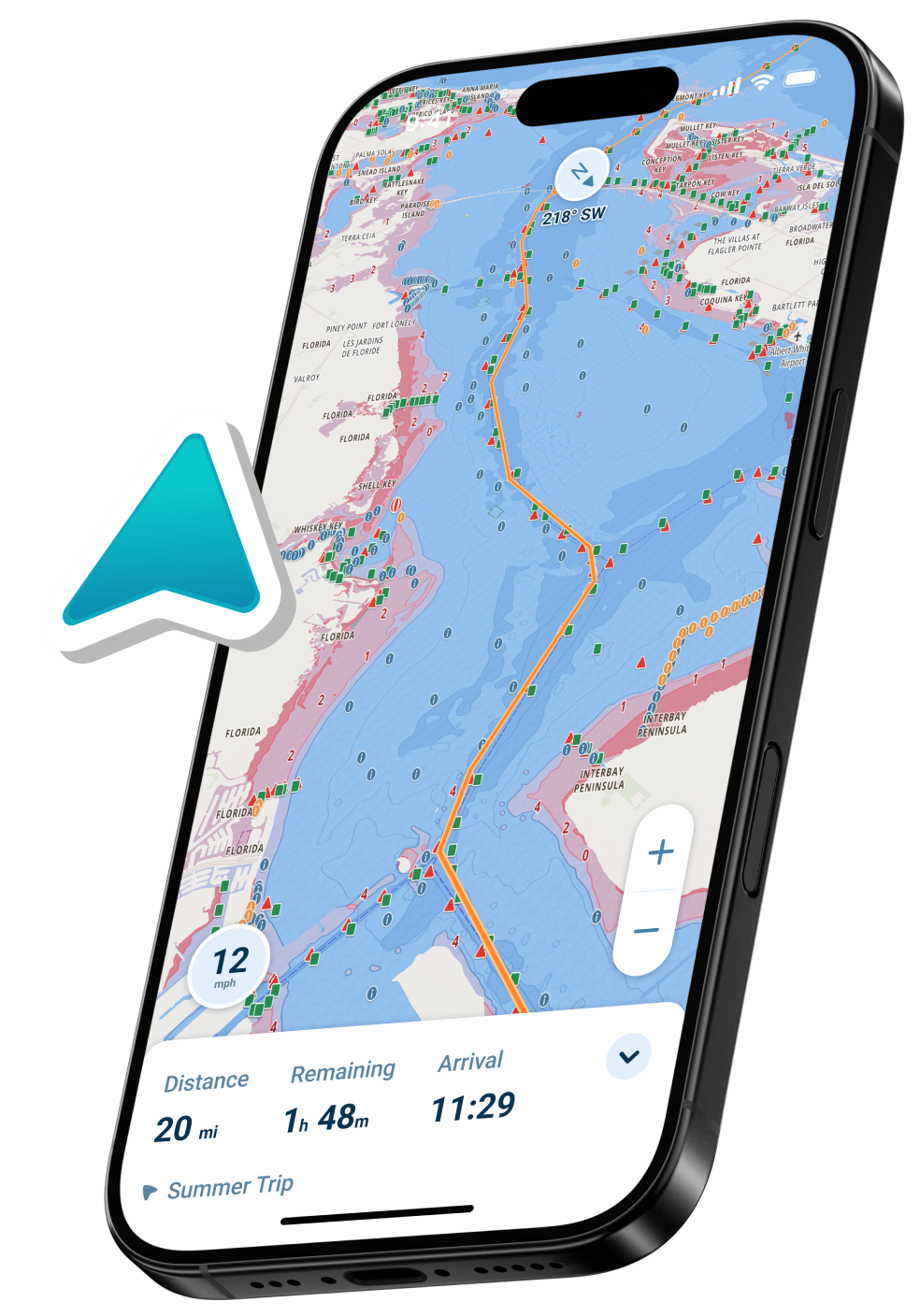
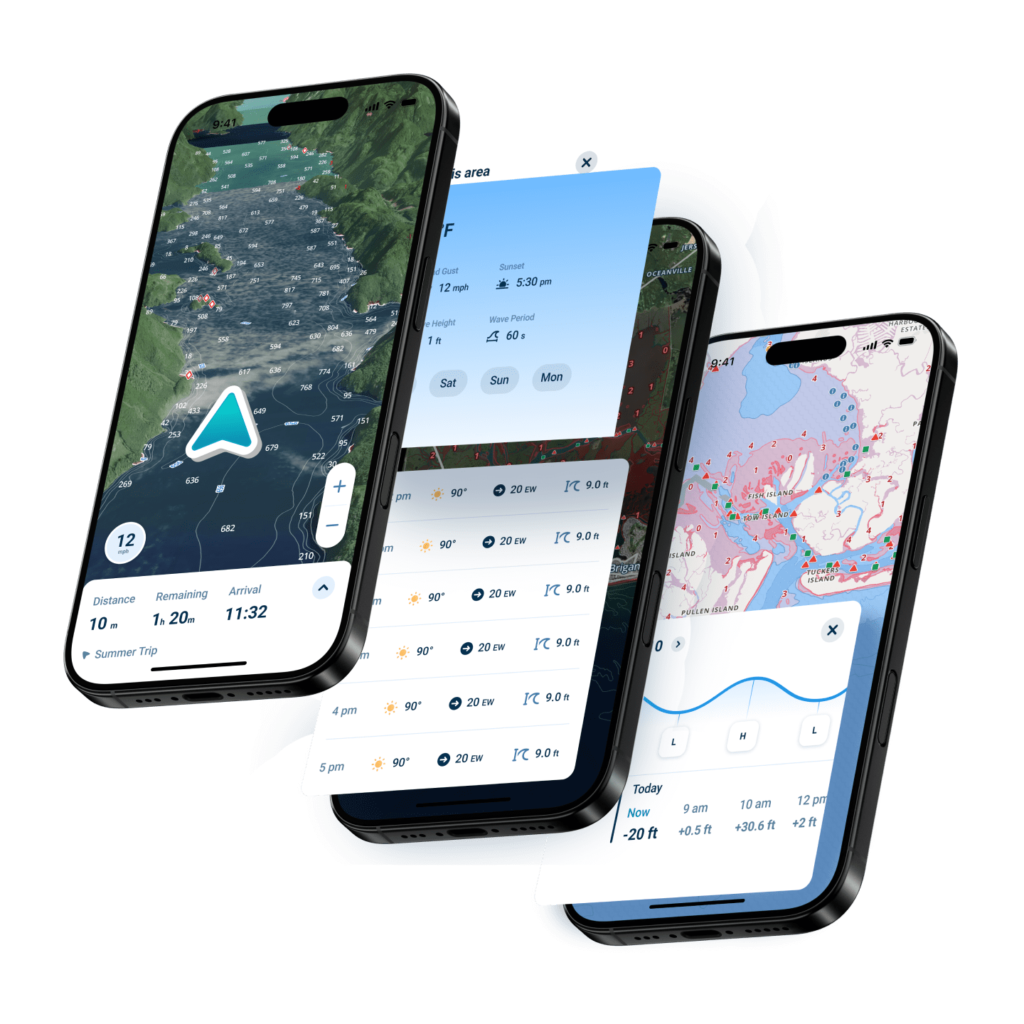
Its intuitive interface makes important navigation information easy to understand, while powerful features like customizable depth shading, Dynamic Depths, and AutoRouting help simplify trip planning.
Beyond navigation, Wavve brings together marine weather, community recommendations, trip recording, and offline maps, creating an all-in-one experience for recreational boaters.
Key Wavve Boating Features
- Customizable Depth Shading: Visualize shallow areas based on your boat’s draft, making it easier to identify charted depths relevant to your vessel.
- Dynamic Depths: Incorporates available water-level information to adjust charted depths in supported areas, helping boaters better understand changing water conditions.
- AutoRouting: Plan trips using three routing preferences: Prefer Channels, Most Direct, and Balanced.
- Marine Weather: Access weather forecasts, wind, and wave information directly within the app.
- Offline Maps: Download maps before heading out and continue navigating with GPS when cellular coverage is unavailable.
- Wavve Points: Discover anchorages, restaurants, boat ramps, fuel stops, and other useful destinations shared by the boating community.
- Trip Recording: Record your boating adventures and revisit your journeys.
- Apple Watch Integration: Access navigation features and helpful alerts from your wrist.
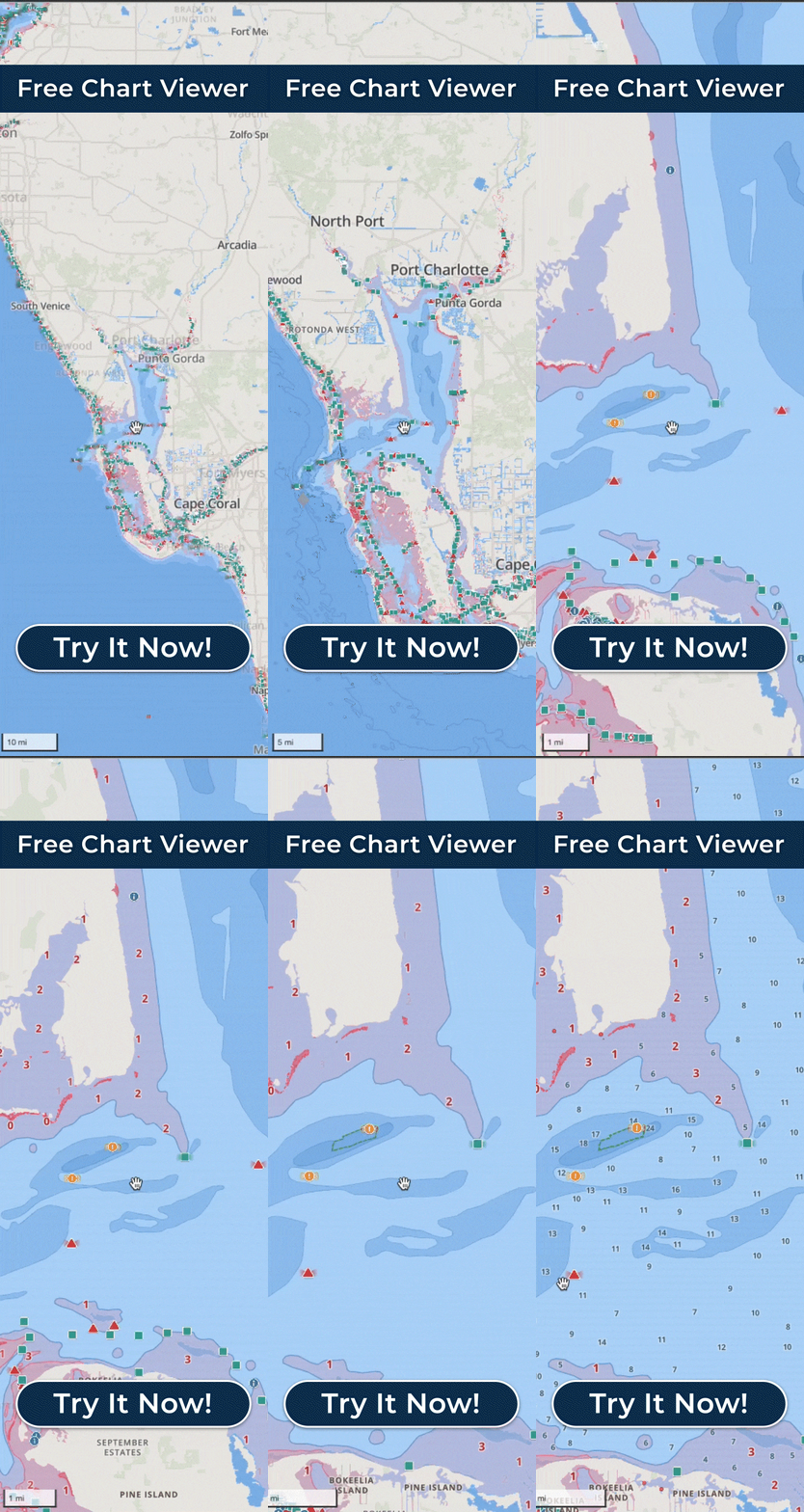
- Free Web Chart Viewer: Explore waterways and plan trips from your desktop or laptop.
Wavve’s strength lies in bringing these tools together in an approachable experience. Boaters can access the features they need without navigating complicated chart settings or purchasing additional feature packages.
A Closer Look at Deckee
Deckee is a boating app originally developed in Australia, designed to help boaters prepare for their time on the water, understand local conditions, and stay connected.
Its features appeal to a broad range of water users, including recreational boaters, anglers, sailors, and paddlers.
Deckee’s biggest strength is its collection of safety-related information. The app brings together weather forecasts, local regulations, official warnings, and safety equipment requirements, making it a useful resource for preparing for an outing.
Key Deckee Features
- Marine Maps and Depth Charts: Explore waterway information, depth contours, navigation aids, and points of interest.
- Personalized Weather: Access boating forecasts tailored to your watercraft.
- Safety Alerts: Review official warnings, local regulations, and relevant waterway alerts.
- Safety Equipment Information: Find information about required boating safety equipment in supported jurisdictions.
- Local Knowledge Heatmaps: Explore popular waterways and routes based on activity from other boaters.
- Live Location Sharing: Share your location with friends, family, or other users.
- Automatic Logbook: Record on-water activities and revisit trip information.
- Destination Discovery: Find boat ramps, fishing locations, anchorages, webcams, and other useful places.
Deckee’s emphasis on preparation, local information, and activity sharing makes it a useful boating companion, particularly for users who value access to safety resources and community information.
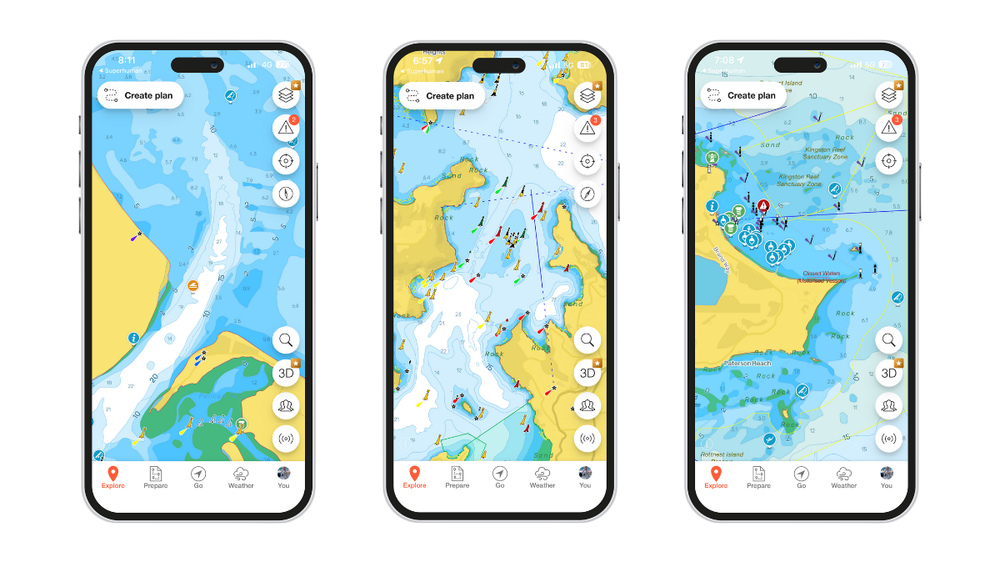
Image courtesy of Deckee.
How They Compare
Depth Information and Chart Data
Wavve’s customizable depth shading helps boaters quickly understand charted depths in relation to their vessel.
By entering your boat’s draft, you can personalize the map to highlight areas that may be too shallow for your boat, making it easier to recognize potential concerns at a glance.
Wavve also offers Dynamic Depths, which uses available water-level information to adjust charted depths in supported areas. This adds useful context when boating in locations where water levels fluctuate.
Together, these tools make depth information more approachable, especially for recreational boaters who want a clear visual representation of the waterways around them.
Deckee provides marine depth charts using information from hydrographic agencies, allowing users to explore depth contours and underwater features.
These charts help boaters understand the general depth characteristics of an area, alongside other local waterway information.
The key difference: Wavve makes depth information more personal to your vessel through customizable shading and Dynamic Depths, while Deckee provides depth charts as part of its broader collection of boating information.
Route Planning
Wavve’s AutoRouting feature helps simplify trip planning by offering three preferences:
- Prefer Channels: Prioritizes marked navigation channels where available.
- Most Direct: Prioritizes a more direct route to your destination.
- Balanced: Offers a balance between direct travel and channel preferences.
This flexibility allows boaters to select the routing approach that best suits their preferences and the type of trip they’re planning.
Wavve also makes it easy to create and save manual routes, giving boaters control over their journeys.
Deckee provides maps, GPS positioning, and local knowledge heatmaps that can help users explore waterways and discover popular boating routes.
Its primary emphasis is on preparation, safety information, and activity sharing rather than dedicated automatic route planning.
The key difference: Wavve offers a more comprehensive route-planning experience, while Deckee focuses on providing local waterway information and helping boaters discover popular areas.
Weather and Safety Information
Wavve integrates marine weather forecasts, wind, and wave information directly into the navigation experience.
Its Dynamic Depths feature also incorporates available water-level information to help boaters better understand changing depth conditions in supported areas.
These tools make it convenient to review relevant conditions alongside your navigation charts when planning a trip.
Deckee offers personalized boating weather forecasts alongside safety alerts, official warnings, local regulations, and information about required safety equipment.
These resources can be particularly useful when preparing for an outing or exploring unfamiliar waterways where local requirements may differ.
The key difference: Wavve brings weather and water-level information into an intuitive navigation experience, while Deckee places greater emphasis on safety awareness, regulations, and preparation.
Offline Use
Wavve allows boaters to download maps before heading out, keeping essential chart information available when cellular coverage is limited.
Your device’s GPS can continue displaying your position on downloaded maps without a cellular connection.
This makes Offline Maps particularly useful for boaters exploring remote waterways or travelling beyond reliable cellular coverage.
Deckee provides GPS-based maps and local waterway information, although some features and services depend on an internet connection.
Boaters planning to use Deckee in areas with limited coverage should check which maps and features remain available offline.
The key difference: Wavve offers dedicated Offline Maps functionality, providing a convenient way to access essential chart information when boating beyond cellular coverage.
Subscription Structure and Cost
Wavve offers two straightforward subscription options:
- Annual: $69.99 USD/year, including a 14-day free trial.
- Monthly: $11.99 USD/month, without a free trial.
A Wavve subscription provides access to the app’s navigation features and supported chart coverage without requiring separate purchases for individual chart regions.
This makes it easy for recreational boaters to understand what’s included and what they’ll pay.
Deckee offers a free boating app with access to maps, weather information, safety resources, and community features.
This makes it an appealing option for boaters who want access to boating information without paying for a navigation subscription.
While Deckee has a clear advantage in terms of cost, Wavve offers additional navigation-focused features such as AutoRouting, customizable depth shading, Dynamic Depths, and offline maps.
For recreational boaters who regularly plan routes or explore unfamiliar waterways, these capabilities may provide meaningful value.
Ease of Use and Flexibility
Wavve’s intuitive interface makes it easy for recreational boaters to access important navigation information without unnecessary complexity.
Its chart display, route-planning tools, customizable depth shading, and weather features are brought together in one experience, helping boaters move easily between planning and navigation.
Wavve also includes community features such as Wavve Points, friend locations, route sharing, and trip recording, making the app useful beyond active navigation.
Deckee brings together a wide range of boating safety, weather, and community information in one place.
Its features make it convenient to check local regulations, review conditions, discover popular waterways, and share activities with friends or family.
The key difference: Wavve emphasizes an intuitive, all-in-one navigation experience, while Deckee focuses on bringing boating preparation, safety, and community information together.
Which App Fits Your Boating?
Wavve Boating may be a particularly good fit if you want an intuitive marine navigation app with AutoRouting, customizable depth shading, Dynamic Depths, offline maps, and destination discovery.
Its combination of navigation and community features makes it appealing to recreational boaters who enjoy exploring new waterways, planning adventures, and sharing experiences with friends.
Wavve also offers broad chart coverage across supported waterways in the United States, Canada, Australia, the United Kingdom, the Bahamas, and select Caribbean destinations.
With a dedicated customer support team available seven days a week, boaters can also access assistance when they have questions about the app or its features.
Deckee may be a good fit if your priority is free access to boating weather, local safety information, regulations, and activity sharing.
Its safety information is particularly well established in Australia, where it works with marine authorities to provide local resources. The availability of certain features and local information may vary in other regions.
Deckee’s community heatmaps, location sharing, and automatic logbook may also appeal to boaters who want to track and share their experiences.
Ultimately, the best choice depends on whether you prioritize a comprehensive navigation experience or a free collection of boating safety and community tools.
Trying the Apps Before You Decide
Both apps offer opportunities to explore their features before making a longer-term decision.
Wavve’s Annual subscription includes a 14-day free trial, giving boaters an opportunity to explore its navigation features, depth shading, AutoRouting, and other tools before committing to a paid subscription.
Deckee is free to download, making it easy to explore its weather, safety, and community features.
When comparing the apps, try reviewing familiar waterways, exploring the available chart information, and considering which features you’ll use most frequently.
For Wavve, take advantage of the trial to test route planning, customize your depth shading, and explore the app’s navigation experience.
For Deckee, review the availability of local safety information, weather forecasts, and other features in the areas where you typically boat.
The Bottom Line
Wavve Boating and Deckee both offer valuable tools for recreational boaters, but their strengths appeal to different priorities.
Deckee provides a useful collection of free boating safety, weather, and community features, making it an appealing option for boaters who want access to local information and activity-sharing tools.
Wavve Boating stands out for recreational boaters who want powerful navigation tools without unnecessary complexity.
With customizable depth shading, Dynamic Depths, flexible AutoRouting, marine weather, offline maps, community-powered destination discovery, and accessible seven-day customer support, Wavve makes it easy to plan, navigate, and explore with confidence.
Its straightforward subscription structure and broad supported chart coverage also make it a convenient choice for boaters who enjoy exploring different waterways and destinations.
Ultimately, the best app is the one that fits the way you boat.