What Is the Garmin Boating Marine Navigation App?
Understanding the Navionics-Garmin rebrand and what it means for boaters.
If you’ve searched for marine navigation apps recently, you may have encountered confusing branding: “Garmin Boating,” “Navionics Boating,” “Navionics by Garmin,” and “Garmin Boating Marine Navigation App” all seem to reference similar products. What’s going on?
Here’s the simple truth: They’re all the same app.
When Garmin acquired Navionics (one of the world’s most popular marine charting companies), they began rebranding the app. The product remains “Navionics Boating,” but it’s now developed and marketed by Garmin, leading to multiple names appearing in app stores, marketing materials, and online searches.
This comprehensive guide clarifies the confusion, explains what the Garmin Boating app is, how it works, what it costs, and whether it’s the right marine navigation solution for your boating needs.
The Navionics-Garmin Story: Understanding the Rebrand
Timeline of the Acquisition:
2020-2021: Garmin acquires Navionics, the Italian company behind the world’s most popular marine navigation app with millions of users worldwide.
2022-2024: Gradual rebranding begins. The app remains functionally “Navionics Boating” but marketing shifts toward “Garmin Boating” branding.
2025-2026: The app is officially called “Navionics® Boating by Garmin” in app stores, but you’ll see it referenced as:
- Navionics Boating
- Garmin Boating
- Garmin Boating Marine Navigation App
- Navionics App
- Garmin Marine App
They all refer to the same product with the same features and pricing.
What Is the Garmin Boating App? Core Functionality
Purpose:
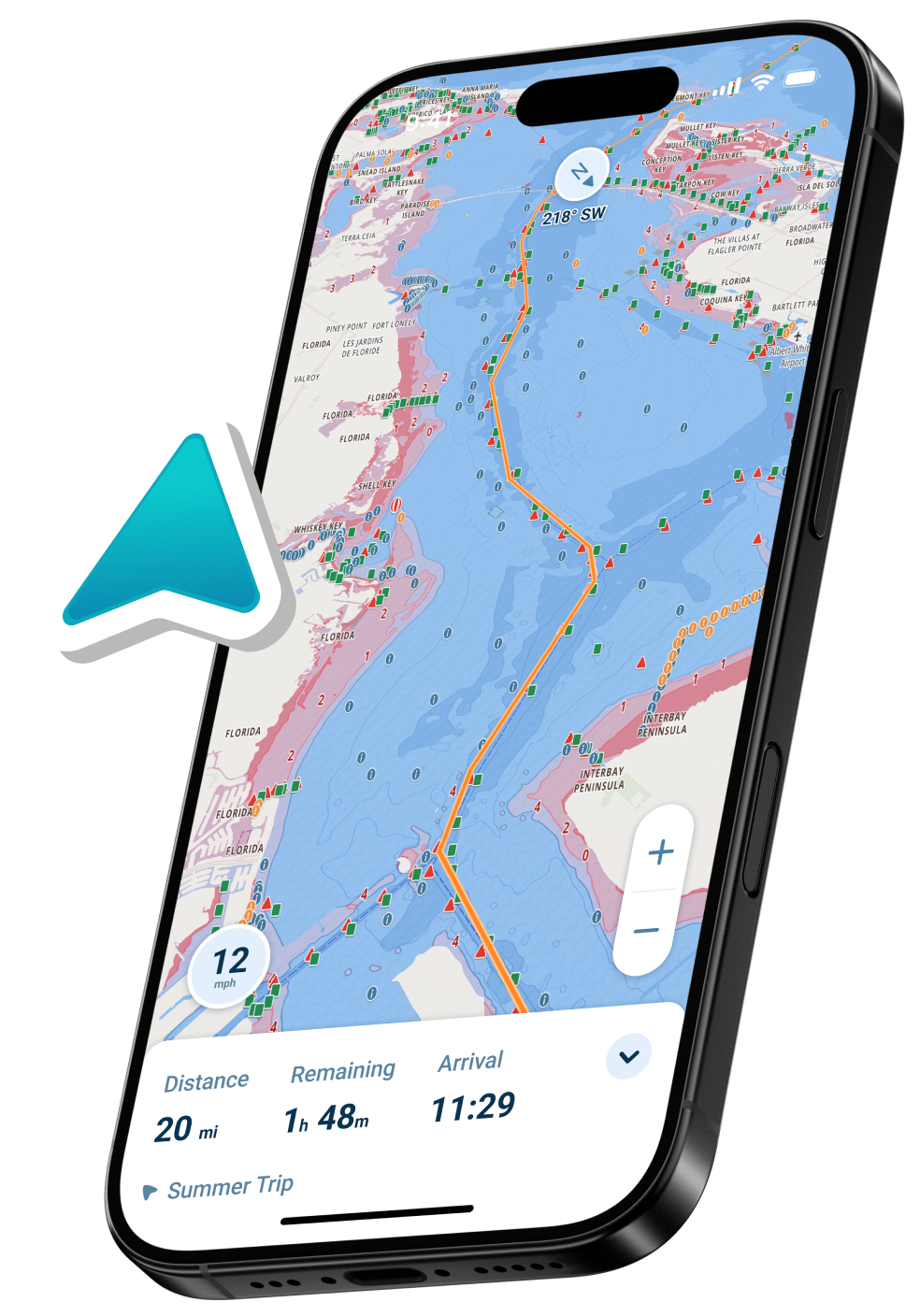
The Garmin Boating Marine Navigation App turns your smartphone or tablet into a comprehensive marine chartplotter, providing navigation, route planning, and safety features traditionally found only in expensive fixed hardware.
Primary Functions:
- Mobile Marine Navigation
- GPS position tracking
- Real-time location on nautical charts
- Course and speed display
- Route Planning & Guidance
- Create custom routes
- Dock-to-dock auto-routing
- Distance and ETA calculations
- Turn-by-turn navigation
- Offline Charts
- Download charts for offline use
- Navigate beyond cell coverage
- Multiple chart formats available
- Community Features
- ActiveCaptain integration
- Marina reviews and info
- Hazard reports from other boaters
- Points of interest sharing
- Sonar Mapping
- SonarChart™ HD bathymetry
- 1-foot depth contours
- Community-sourced depth data
- Excellent for fishing

Garmin Boating App Features Breakdown
What’s Included (With Subscription)
Nautical Charts:
- Official NOAA charts (US)
- International coverage available
- Multiple chart types and overlays
- Regular updates included
SonarChart™ HD:
- High-definition bottom contours
- 1-foot depth detail
- Community-contributed depth mapping
- Best-in-class fishing charts
Navigation Tools:
- Waypoint creation and management
- Route planning and editing
- Dock-to-dock auto-routing
- Track recording
- Distance measuring tool
Tides & Currents:
- Tide predictions
- Current data (where available)
- Animated visualizations
- Useful for planning
Weather Information:
- Basic weather overlays
- Wind and precipitation
- Temperature data
- Limited compared to dedicated weather apps
ActiveCaptain Community:
- 1,000,000+ points of interest
- Marina details and reviews
- User-contributed hazards
- Navigation recommendations
- Anchorage information
Plotter Sync:
- Sync with Garmin chartplotters
- Transfer routes and waypoints
- Activate/update chartplotter subscriptions
- Seamless integration with Garmin hardware
Sharing & Export:
- GPX import/export
- Share routes and markers
- Connect with friends
- Live location sharing
How the Garmin Boating App Works
Step 1: Download & Setup
App Store Names:
- iOS: “Navionics® Boating by Garmin”
- Android: “Navionics® Boating”
- Sometimes listed as: “Garmin Boating Marine Navigation”
Initial Setup:
- Download free from app store
- Create account or sign in with Garmin account
- Start 14-day free trial (full features)
- Choose your coverage region
- Download charts for your area
Step 2: Personalize Your Experience
Configure Settings:
- Set home location
- Enter boat details (optional)
- Choose preferred chart style
- Customize display preferences
- Enable/disable features
Step 3: Plan Your Route
Route Planning:
- Tap destination on chart
- Add waypoints as needed
- Use auto-routing or manual planning
- Review distance and estimated time
- Save route for later
Auto-Routing: The app suggests efficient paths based on chart data, though it doesn’t account for your vessel’s specific draft or real-time water levels like more modern alternatives.
Step 4: Navigate
While Underway:
- GPS shows live position on chart
- Follow planned route
- Monitor distance to waypoints
- Check depth at cursor location
- View boat heading and speed
Offline Navigation: Once charts are downloaded, GPS navigation works without internet, though tide predictions, weather, and community data require connectivity to update.
Garmin Boating App Pricing
Subscription Model:
The app is free to download with a 14-day trial, then requires an annual subscription:
| Region | Annual Cost |
| USA Only | $39.99/year |
| US & Canada | $49.99/year |
| Europe | €39.99/year |
| Australia & New Zealand | $49.99 AUD/year |
| Caribbean & South America | $49.99/year |
| Worldwide | $99.99/year |
Important Notes:
- Prices increased significantly in 2023-2024
- Previously $14.99-24.99 for US & Canada
- Now $49.99 (100%+ price increase)
- Multi-year subscriptions can be purchased
What Subscription Includes:
- Full chart access for chosen region
- SonarChart HD
- Auto-routing
- Tide/current data
- ActiveCaptain community
- Offline chart downloads
- Regular chart updates
- Plotter sync (if you own Garmin hardware)
For detailed pricing analysis, see our complete Navionics pricing guide.
Garmin Boating vs Navionics: Are They Different?
No. They are the same app.
After Garmin’s acquisition, confusion arose because:
- The app kept the “Navionics” name
- Marketing added “by Garmin” or “Garmin Boating”
- Different regions display different branding
- Some materials say “Navionics Boating,” others say “Garmin Boating”
Regardless of what name you see, you’re getting:
- Same features
- Same charts (Navionics technology)
- Same subscription pricing
- Same support from Garmin
Search any of these terms, you’ll find the same app:
- “Navionics app”
- “Garmin Boating app”
- “Navionics Boating”
- “Garmin Marine Navigation app”
Who Is the Garmin Boating App For?
Best Suited For:
- Garmin Hardware Owners
- Seamless sync with Garmin chartplotters
- Transfer routes between app and plotter
- Update plotter charts via app
- Unified Garmin ecosystem
- Fishing Enthusiasts
- SonarChart HD is best-in-class for structure fishing
- High-resolution depth mapping
- Community depth contributions
- Excellent for finding hotspots
- Experienced Chart Readers
- Traditional nautical chart presentation
- Familiar symbols and conventions
- Detailed overlays
- Professional-style interface
- ActiveCaptain Users
- Large existing community
- Extensive marina database
- User reviews and recommendations
- Social navigation features
May Not Be Ideal For:
- New Boaters
- Interface can be overwhelming
- Traditional chart symbols require learning
- No automatic depth shading for your boat’s draft
- Steeper learning curve than modern alternatives
- Budget-Conscious Boaters
- $49.99/year is expensive compared to some competitors
- Price increases haven’t matched feature improvements
- Better value options available
- Draft-Aware Navigation Seekers
- Doesn’t adjust depths for your boat’s draft
- No real-time depth shading (safe vs shallow)
- Manual calculation of effective depths required
- Modern apps offer this automatically
- Multi-Region Boaters
- Separate subscriptions for different regions
- Expensive if you boat in multiple areas
- Worldwide plan is $99.99/year
Garmin Boating App Strengths
What It Does Well:
- Comprehensive Chart Coverage
Official NOAA and international charts with regular updates.
- SonarChart HD Technology
Industry-leading high-resolution bathymetry maps for fishing and structure identification.
- ActiveCaptain Integration
Massive community database with marina information, reviews, and user-contributed content.
- Garmin Ecosystem Compatibility
Works seamlessly with Garmin chartplotters, creating unified navigation system.
- Offline Capability
Download charts and navigate beyond cell coverage reliably.
- Proven Track Record
Years of development, millions of users, stable and reliable platform.
Garmin Boating App Limitations
What It Doesn’t Do:
- No Draft-Aware Depth Shading
Unlike modern alternatives like Wavve Boating, Garmin Boating doesn’t automatically adjust depth display based on your vessel’s draft. You must manually interpret whether depths are safe for your boat.
- Limited Real-Time Data Integration
Tide predictions are shown separately rather than integrated into chart depths. You manually calculate effective depths at specific times.
- Traditional Interface
Uses conventional nautical chart symbols and presentation. While familiar to experienced navigators, it’s less intuitive than modern, simplified interfaces.
- Basic Weather
Weather overlays are limited compared to dedicated marine weather features in competing apps.
- Complex for Beginners
Multiple menus, chart layers, and options can overwhelm new boaters who want simple, clear navigation.
- Price Increases
Significant subscription cost increases (100%+ in recent years) without proportional feature improvements.
Garmin Boating vs Modern Navigation Alternatives
How Does It Compare?
| Feature | Garmin Boating | Wavve Boating |
| Official Charts | ✅ NOAA, international | ✅ 17,000+ charts (NOAA, CHS, AHO, UKHO) |
| Draft-Aware Depth | ❌ No | ✅ Automatic depth shading |
| Real-Time Tides | ⚠️ Separate display | ✅ Integrated into charts |
| Interface Style | Traditional/complex | Modern/simplified |
| SonarChart | ✅ Best-in-class | ❌ N/A |
| Auto-Routing | ✅ Yes | ✅ Yes (draft-aware) |
| Weather | ⚠️ Basic | ✅ Marine weather + waves |
| Community | ✅ ActiveCaptain | ✅ Active hazard reporting |
| Offline Use | ✅ Yes | ✅ Yes |
| Learning Curve | Steeper | Gentler |
| Annual Cost | $49.99 | ~$59.99 |
| Best For | Fishing, Garmin owners | Navigation, recreational boaters |
Key Difference: Garmin Boating excels at fishing with SonarChart and integrates beautifully with Garmin hardware. For general navigation and safety, modern alternatives offer more intuitive interfaces and real-time depth awareness.
Is the Garmin Boating App Worth It?
Worth It If:
✅ You own Garmin chartplotters and want seamless integration
✅ SonarChart HD is essential for your fishing
✅ You’re experienced with traditional nautical charts
✅ ActiveCaptain community data is valuable to you
✅ You prioritize proven, established technology
✅ You don’t mind manual depth calculations
Consider Alternatives If:
❌ You’re new to boating and want intuitive navigation
❌ You want automatic depth shading for your draft
❌ Real-time tide integration is important
❌ You prefer modern, simplified interfaces
❌ Price increases make $49.99/year feel expensive
❌ You don’t need advanced fishing features
❌ You want Google Maps-style navigation for water
Better Alternatives to Consider
Wavve Boating – Modern Draft-Aware Navigation
Price: ~$59.99/year (14-day free trial)
Best For: Recreational boaters, jet skis, modern navigation
What Makes Wavve Different:
- Real-time depth shading adjusted to YOUR boat’s draft
- Automatic tide integration – charts update with water levels
- Modern interface – like Google Maps for boating
- Community hazard reports in real-time
- Marine weather & waves integrated
- Works on Sea-Doo displays (perfect for PWCs)
Ideal For: Boaters who want clarity, confidence, and modern technology without complexity.
Try Free: Explore Wavve charts before downloading
Garmin ActiveCaptain – Budget Garmin Option
Price: Free basic / $29.99/year premium
Best For: Garmin hardware owners, tight budgets
Offers basic functionality and Garmin integration at lower cost than full Navionics Boating subscription.
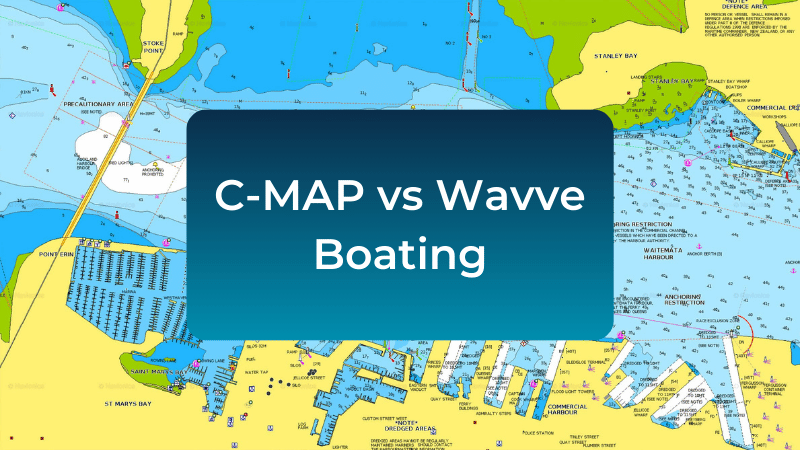
C-MAP – Traditional Alternative
Price: $49.99/year
Best For: Boaters wanting Navionics alternative with similar approach
Similar features to Garmin Boating, different chart presentation style, compatible with Simrad/B&G hardware.
How to Get the Garmin Boating App
Download Instructions:
For iOS (iPhone/iPad):
- Open App Store
- Search “Navionics Boating” or “Garmin Boating”
- Download “Navionics® Boating by Garmin”
- Start 14-day free trial
For Android:
- Open Google Play Store
- Search “Navionics Boating”
- Download “Navionics® Boating”
- Start 14-day free trial
Free Trial Includes:
- Full features for 14 days
- All charts for your chosen region
- No credit card required upfront (varies by region)
- Cancel anytime before trial ends
Tips for Using Garmin Boating App Effectively
1. Download Charts Before Trips
Always download your navigation area when you have Wi-Fi. Don’t rely on cellular data on the water.
2. Manually Account for Draft
Since the app doesn’t adjust for your vessel’s draft, add a safety margin when interpreting depths (typically 1-2 feet minimum).
3. Check Tides Separately
View tide predictions before departure and mentally calculate how they affect the charted depths you’ll encounter.
4. Use ActiveCaptain
Explore community reviews for marinas and anchorages before visiting new areas.
5. Save Important Routes
Pre-plan and save routes for trips you make regularly to save time.
6. Combine with Other Tools
Consider supplementing Garmin Boating with dedicated weather apps and modern navigation alternatives for complete coverage.
Common Issues & Solutions
Problem: App Shows Wrong Location
Solution: Ensure Location Services are enabled for the app in device settings. Restart device if needed.
Problem: Charts Won’t Download
Solution: Check internet connection. Ensure sufficient storage space. Try downloading smaller regions.
roblem: Subscription Not Recognized
Solution: Sign out and back in. Restore purchases in app settings. Contact Garmin support if issue persists.
Problem: Battery Drains Quickly
Solution: GPS navigation drains batteries. Use airplane mode to disable cell searching. Carry backup power bank.
Problem: Can’t Sync with Chartplotter
Solution: Ensure both devices on same Wi-Fi network. Update chartplotter firmware. Check Garmin compatibility list.
Should You Use Garmin Boating?
For Fishing-Focused Users with Garmin Hardware: Yes, the integration and SonarChart make it worthwhile.
For General Recreational Boaters: Consider modern alternatives like Wavve Boating that offer more intuitive interfaces, real-time depth awareness, and better value.
For New Boaters: The learning curve and traditional presentation may be frustrating. Start with simpler, modern apps designed for clarity.
For Budget-Conscious Users: At $49.99/year, explore free trial alternatives to compare value before committing.
Try Modern Navigation Alternatives
Before committing to Garmin Boating’s subscription, explore what modern marine navigation offers:
Wavve Boating – 14-Day Free Trial
- Real-time depth shading for your boat
- Integrated tides and water levels
- Modern interface designed for clarity
- Community hazard reports
- Marine weather integration
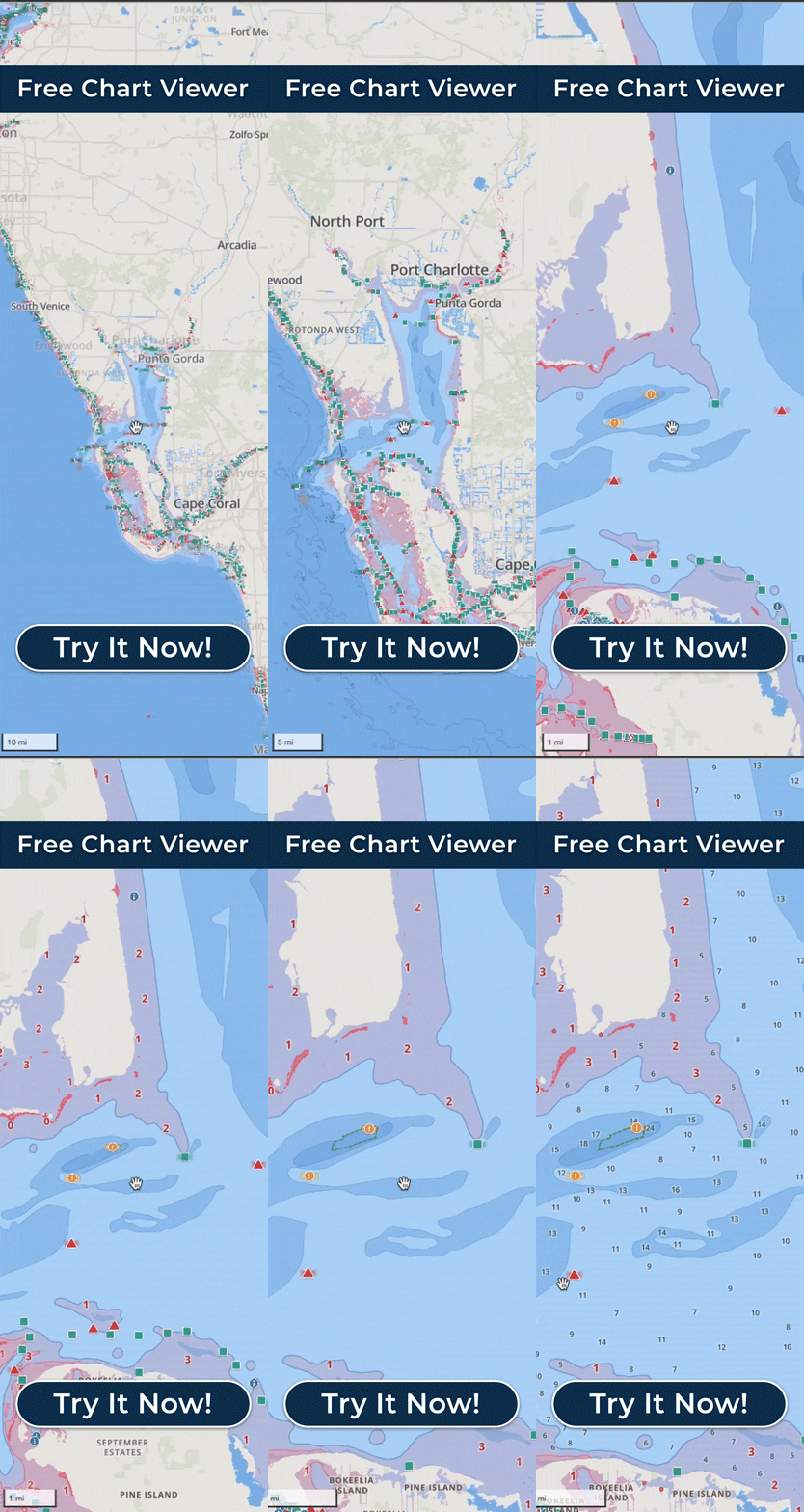
Explore Wavve’s Free Chart Viewer – No download required
Download Wavve Boating – Navigate With Confidence
Frequently Asked Questions
Q: Is Garmin Boating the same as Navionics?
A: Yes. After Garmin acquired Navionics, the app was rebranded as “Navionics® Boating by Garmin” or sometimes just “Garmin Boating.” Same app, same features, same technology.
Q: How much does the Garmin Boating app cost?
A: The app is free to download with a 14-day trial. After that, subscriptions cost $39.99-99.99/year depending on coverage region. US & Canada coverage is $49.99/year. See our complete pricing guide.
Q: Can I use Garmin Boating offline?
A: Yes. Download charts while connected to Wi-Fi, then navigate offline using GPS. Tide predictions, weather, and community data require internet to update.
Q: Does Garmin Boating work with iPhones and Android?
A: Yes, the app is available for both iOS (iPhone/iPad) and Android devices through respective app stores.
Q: Do I need a Garmin chartplotter to use Garmin Boating?
A: No. The app works standalone on your phone or tablet. However, if you own a Garmin chartplotter, the app syncs seamlessly with it.
Q: What’s the difference between Garmin Boating and ActiveCaptain?
A: ActiveCaptain is Garmin’s community database of marina info and reviews, integrated into Garmin Boating. ActiveCaptain is also available as a separate free app with basic features. Garmin Boating ($49.99/year) includes ActiveCaptain plus full charts and navigation.
Q: Can I try Garmin Boating before paying?
A: Yes, there’s a 14-day free trial with full features. Test it on actual boating trips before committing to subscription.
Q: Does Garmin Boating show depth for my boat’s draft?
A: No. It shows charted depths, but doesn’t automatically adjust for your vessel’s draft or real-time tides. You must manually calculate safe depths. Apps like Wavve Boating offer automatic draft-aware depth shading.
Q: Is Garmin Boating good for beginners?
A: It can be challenging for beginners due to traditional chart presentation and complex features. Modern navigation apps with simplified interfaces may be easier to learn.
Q: Can I use Garmin Boating for fishing?
A: Absolutely. SonarChart HD provides excellent high-resolution bathymetry maps perfect for finding structure and fishing hotspots.
Q: What happened to the Navionics web app?
A: After Garmin’s acquisition, the Navionics web chart viewer was rebranded and features were reduced. For web-based chart viewing, consider Wavve’s free chart viewer.
Q: Is Garmin Boating worth $50 per year?
A: Depends on your needs. For Garmin hardware owners and serious anglers, yes. For recreational boaters wanting modern features and intuitive navigation, alternatives like Wavve may offer better value. Try multiple free trials to decide.