Starting out in boating is exciting, but navigation can feel intimidating at first. Charts full of symbols, tide tables, depth calculations, and unfamiliar terminology can make it seem as though you need years of experience just to leave the dock safely.
The reassuring truth is that the right navigation app removes much of that intimidation and lets you build confidence at your own pace.
This guide covers the best marine navigation apps for beginners and, before that, what a new boater should actually look for in one. The features that matter most when you are starting out are different from the ones a seasoned navigator prioritizes, so understanding them helps you choose well rather than being swayed by a long feature list you do not yet need.
The goal is an app that makes navigation approachable, not one that adds to the overwhelm.
What Beginners Should Look For
Simplicity and Visual Clarity
As a new boater, your priorities differ from those of a seasoned mariner. Ease of use tops the list, so you want an app you can understand quickly, with charts that make sense at a glance rather than requiring you to decode dozens of symbols. The less translation you have to do between what is on the screen and what it means, the better.
Visual clarity matters enormously here. Seeing how charted depths and hazards are represented is far more intuitive than interpreting a scatter of depth numbers, so apps that present the important information visually suit beginners best.
When charted depth information and shallow areas are shown as clear visual cues rather than figures you have to calculate against your draft, navigation stops feeling like a test and starts feeling manageable from your very first trip.
Automatic Safety and Low-Commitment Trials
Helpful navigation features help a great deal when you are learning, because they support your own navigation decisions rather than relying on knowledge you have not built yet. An app that works out safe depth for your boat, or flags a hazard before you reach it, gives a beginner a additional context when planning a route while the instincts are still developing. That kind of quiet, in-the-background help is exactly what a new boater benefits from most.
Fast, simple setup and a free trial round out what beginners should look for. You want to spend your time boating, not fighting the app at the dock, and a free trial lets you learn without committing money before you know what you need.
Above all, a good beginner app should reduce anxiety rather than add to it, so that boating feels like the escape it should be rather than a stressful exam you are afraid of failing.
Wavve Boating
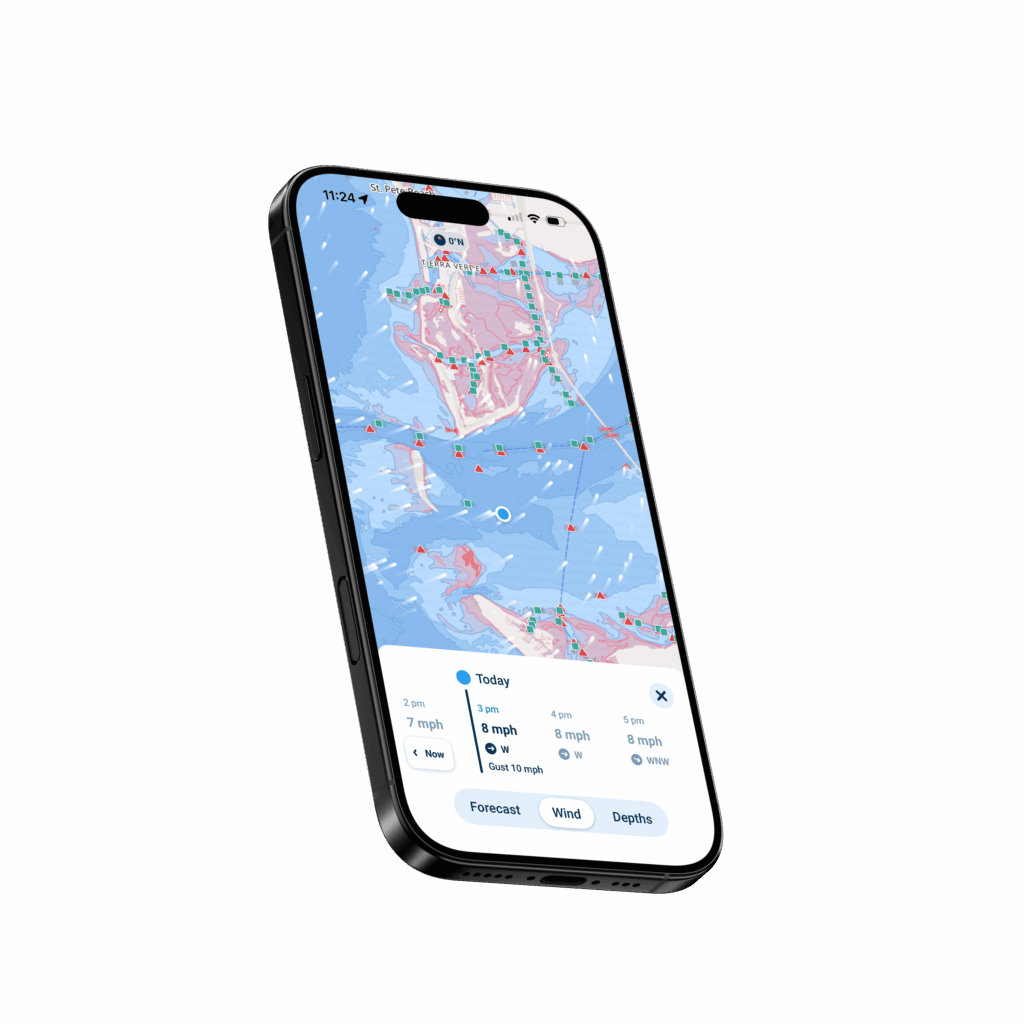
Designed for New Boaters
For beginners, Wavve Boating is an easy app to recommend. It was designed specifically for recreational boaters rather than commercial mariners, so the whole experience is built around simplicity and clarity rather than assuming prior knowledge. The interface shows the key information plainly, and setup takes very little time, which means you are navigating rather than configuring from the start.
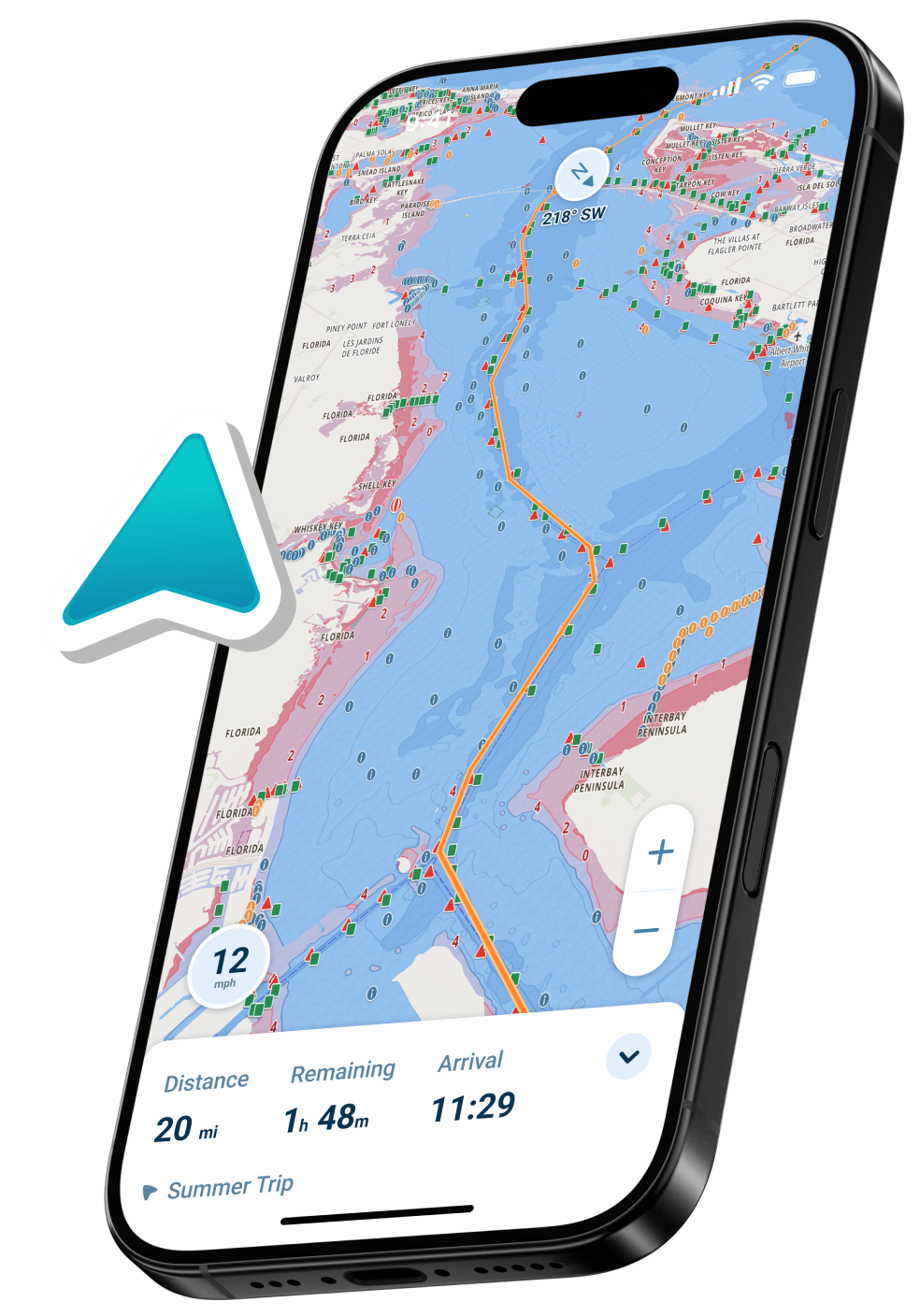
The feature that helps beginners most is depth shading that takes your boat’s draft into account. and from then on the app color-codes your charts to show where you can safely navigate based on current water levels. Red shading identifies charted areas that are shallower than your boat’s draft for your boat. For a new boater, this provides a visual planning aid alongside the underlying chart information, which is exactly the kind of help that builds confidence quickly, and it pairs naturally with learning how to navigate shallow water as your skills grow.
Easy and Risk-Free to Start
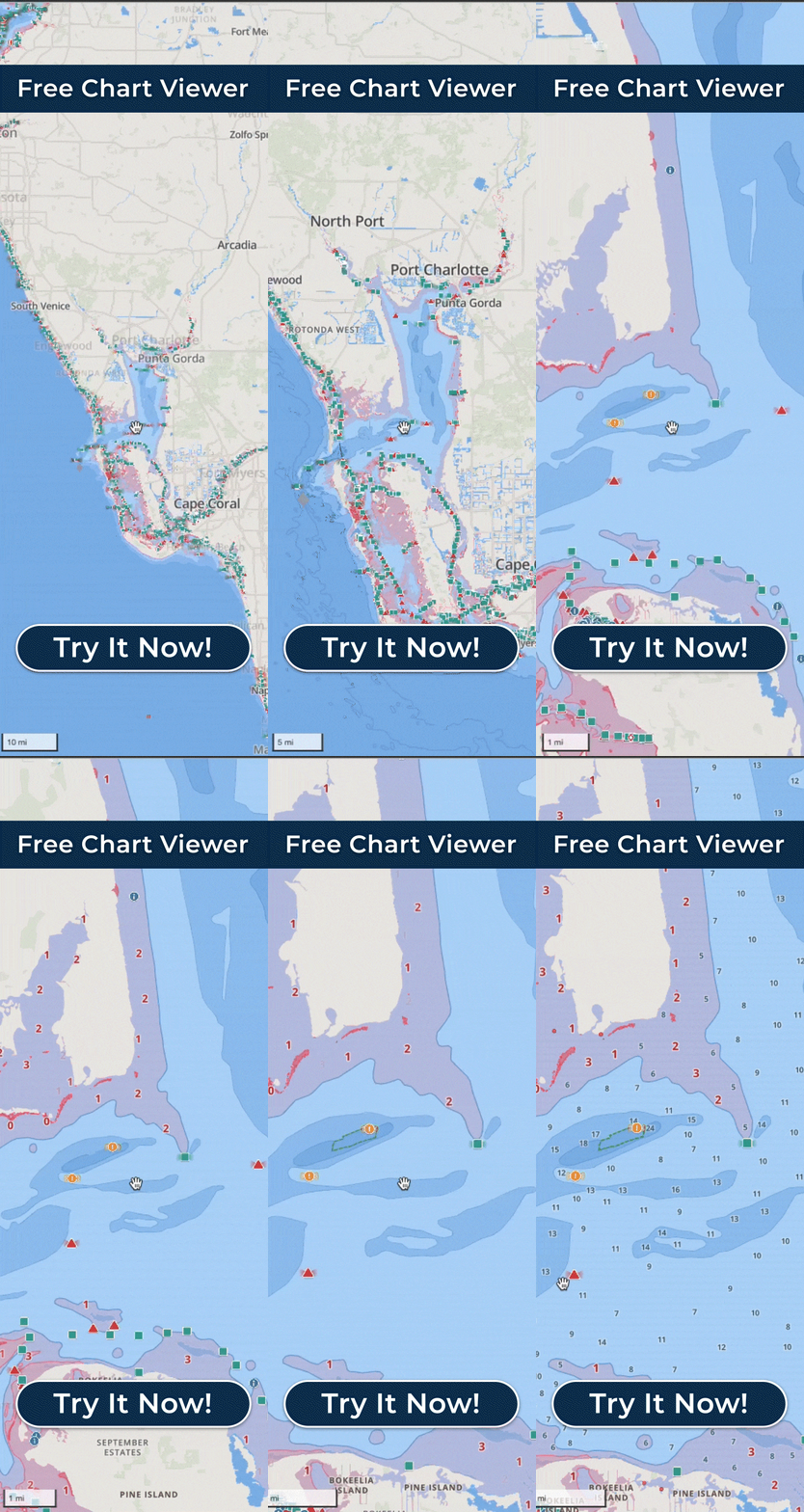
Everything about getting started with Wavve is built to be low-pressure. You get a 14-day free trial on the Annual plan; a valid payment method is required, so you can learn on trips without any commitment, and there is a free chart preview you can explore without even creating an account. For a beginner who is not yet sure what they need, that risk-free entry is genuinely valuable.
The community features can help new boaters, too, surfacing local knowledge from other boaters about hazards and conditions you might not spot on your own.
For someone still learning to read the water, that shared intelligence is like having more experienced boaters quietly pointing out what to watch for. The annual plan is the current price shown at checkout per year, with a monthly option available.
Wavve is not your only option as a beginner, of course, so it is worth knowing what else is out there before you decide. The best choice is always the one that feels right in your hands, and since a new boater’s instincts about what feels intuitive are as valid as anyone’s, trying a few and trusting your own reaction is a perfectly sound way to choose.
Other Options Worth Knowing
Navionics
Navionics is one of the best-known marine navigation apps, with widely trusted charts. As a beginner, you may find it more detailed and information-dense than apps built purely for simplicity, which means a bit more of a learning curve at first. The charts are thorough and respected, and some beginners are happy to grow into the additional detail over time.
If you choose Navionics as a beginner, give yourself time to learn how to read the charts and interpret the symbols rather than expecting to feel at home immediately. Pricing starts at around $49.99 per year for a single region, with more for broader coverage. For new boaters who want detailed charts and do not mind a steeper initial learning curve, it is a reasonable choice that will keep serving you as your skills grow.
Aqua Map and Savvy Navvy
Aqua Map is another approachable option with a fairly clean interface and solid chart coverage. Beginners who want dependable navigation without excessive complexity often find it comfortable, and its offline capability plus the ability to choose which regions to download add practical value as you find your footing. Its modular pricing can also keep costs sensible while you are starting out.
Savvy Navvy is often praised for a clean, modern interface that many newer boaters find approachable. It emphasizes route planning and gathers useful information like weather and tides in one place.
For beginners who like the idea of an app that helps plan trips and feels contemporary and uncluttered, it is worth trying alongside the others during its free period to see how it feels in practice.
Tips for Beginners Using Navigation Apps
Start Simple and Keep a Backup
You do not need to master every feature immediately. Start by learning to read your position on the chart, understand safe depth for your boat, and follow simple routes, then gradually explore more features as your confidence grows. Building your skills step by step is far less overwhelming than trying to absorb everything at once, and it tends to stick better, too.
An app is a powerful tool, but it is not a substitute for basic seamanship, so keep your eyes on the water, watch for other boats and hazards, and learn the fundamentals alongside your app.
It is also wise to keep a backup, whether a paper chart of your area, basic knowledge of your local waters, or a second device. Redundancy is a good habit to build early, and it provides peace of mind while you are still learning.
Practice in Calm Water and Use Free Trials
Learn your app in comfortable conditions before relying on it when things get challenging. Practicing in familiar, calm water lets you get used to the app without pressure, and that familiarity pays off when conditions become more demanding. There is no need to test yourself and a new app at the same time, so give yourself the easy conditions first.
Since most quality apps offer free trials or free tiers, try a few before settling on one.
As a beginner, the app that feels most intuitive to you is often the best choice, and the only way to know is to use them on the water. For a wider view of the field before you start trialing, it is worth reading about the best marine navigation app options so you know which ones are worth your time.
Building Confidence on the Water
Navigation gets easier with experience, and the intimidation many beginners feel fades as familiarity grows.
A good app accelerates that process by making safe navigation visual and intuitive, so that rather than wrestling with charts and calculations, you can focus on developing your boat-handling skills and simply enjoying your time on the water. Every trip adds a little to your competence.
Give yourself grace as you learn, because every experienced boater started exactly where you are now.
Navigation skills develop naturally through practice, and the right app supports that growth by supporting more informed navigation decisions while you build the confidence that turns nervous new boaters into capable, relaxed captains. With a good tool and a little patience, the whole thing comes together faster than you might expect.